HIPAA IT Requirements: What Your Practice Actually Needs
Published February 8, 2024, updated August 4, 2026

HIPAA's IT requirements come down to a short list of outcomes: control who can open patient records, keep a log of who opened them, protect the data with encryption in transit and at rest, back everything up in a way you have actually tested, and write down a risk analysis showing you thought about all of it. The rule names outcomes, not products, which is why the same regulation covers a two-chair dental office and a hospital system, and why the compliance work and the ransomware-resilience work are mostly the same work. This post is for practice owners and office managers who want to know what the regulation actually asks of their technology, in plain English.
What the Security Rule actually asks for
The HIPAA Security Rule groups its requirements into three families, and the names are less complicated than they sound.
- Administrative safeguards. Written policies, a named security officer, staff training, and the risk analysis. This is where most small practices are thinnest.
- Physical safeguards. The lock on the server closet, which way screens face, and what happens to old computers and copiers before they leave the building. Copiers with hard drives full of scanned charts have caused real breaches.
- Technical safeguards. Unique logins, audit logs, encryption, automatic logoff, and controls on how data moves.
Notice what is missing: any product name. HIPAA does not require a particular firewall, EHR, or cloud platform. It requires you to know your risks and address them, which is exactly why the risk analysis comes first.
Start with the risk analysis, because OCR does
A risk analysis is a written inventory of where patient data lives, what could go wrong, and what you are doing about it. The Security Rule lists it as a required implementation specification, not an optional one, and when the HHS Office for Civil Rights investigates a breach, it is usually the first document requested. A missing or years-old risk analysis turns a bad week into a long investigation.
You do not need to buy anything to produce one. HHS publishes a free Security Risk Assessment tool built for small and mid-sized practices, with plain-language questions and a report you keep on file. Do it honestly once a year and after any big change, such as a new EHR or an office move.
The technical controls that carry the weight
Unique logins for every person. A shared front-desk account means the audit log can never say who looked at a chart. Everyone gets their own account, and access matches the job: the hygienist does not need billing, and billing does not need clinical notes.
Multi-factor authentication. Stolen passwords are a common starting point for account takeovers, and a second sign-in factor on email and the EHR is now the baseline that auditors, insurers, and investigators expect.
Encryption wherever it is practical. Encryption is technically addressable under the rule, meaning you can document an equivalent alternative, not that you can skip it. There is also a direct incentive: under the Breach Notification Rule, properly encrypted data that is lost or stolen is not treated as a reportable breach.
Audit logs someone can actually read. Systems holding patient data must record activity. Most EHRs produce these logs; the common gap is that nobody reviews them or keeps them long enough to be useful.
Automatic logoff and screen locks. Small, cheap, and specifically named in the rule. A workstation left signed in and facing the waiting room is a finding waiting to be written.
Supported, patched software. Software past its end of support has no security fixes coming, and running it against patient data is hard to defend in any risk analysis.
Backups, ransomware, and the contingency plan
The Security Rule requires a data backup plan and a disaster recovery plan, and this is the requirement that pays for itself. Ransomware is the most likely serious incident a practice will face, and HHS guidance on ransomware treats an attack that encrypts patient data as a presumed breach unless the practice can show a low probability the data was compromised. Tested backups change both halves: they get you running again without paying, and the evidence they preserve can support that analysis.
The word that matters is tested. A backup nobody has ever restored from is a hope, not a plan. Restore a sample on a schedule, so your first real restore is not also your first ever.
Vendors and business associate agreements
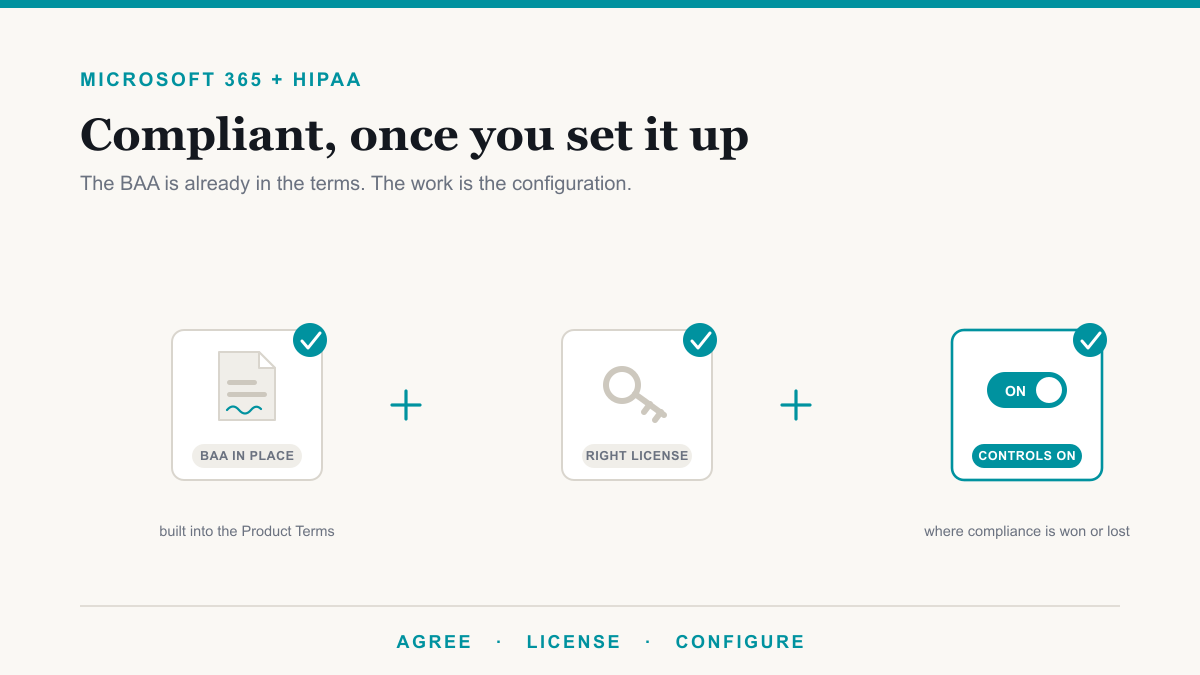
Any outside company that creates, receives, stores, or transmits patient data on your behalf is a business associate, and HIPAA requires a signed business associate agreement, a BAA, with each one. That includes the EHR vendor, the IT company, the cloud backup service, the email platform, the answering service, and often the billing company. One product note: Microsoft only extends its BAA terms to business and enterprise plans, so email on a consumer plan can quietly put a practice out of compliance.
The paperwork that proves it
Three requirements catch practices off guard.
- Breach notification runs on a clock. Affected patients must be notified without unreasonable delay, and no later than 60 days after the breach is discovered.
- Big breaches are public. Any breach affecting 500 or more people goes to HHS and onto a public portal that anyone can search. Smaller breaches are logged and reported to HHS annually.
- Documentation is kept for six years. Policies, the risk analysis, training records, and BAAs must be retained for six years from creation or from when they were last in effect, whichever is later.
What this looks like in a small practice
None of this requires an in-house IT department. In the practices we support around Mesa, Gilbert, Chandler, and Phoenix, the usual pattern is the EHR vendor handling the clinical application, an IT partner handling identity, devices, backups, and monitoring, and the practice owning training and policy sign-off. Our medical IT and dental IT pages cover the day-to-day side, our security services cover monitoring and response, and our compliance work covers the risk analysis, the documentation, and cyber insurance applications.
The part only the practice can do is care: name a security officer, put training on the calendar, and read the risk analysis instead of filing it.
Frequently asked questions
What are the HIPAA IT requirements for a medical practice?
The Security Rule requires access controls with unique logins, audit logs that record who viewed patient data, encryption or an equivalent safeguard for data in transit and at rest, tested backups with a recovery plan, and a written risk analysis. It names outcomes rather than specific products, so the same rules apply to a two-chair office and a hospital.
Is a HIPAA risk analysis actually required?
Yes. The Security Rule lists the risk analysis as a required implementation specification, not an optional one, and it is usually the first document OCR requests after a breach report. HHS publishes a free Security Risk Assessment tool that walks a small practice through it question by question.
Does HIPAA require encryption?
Encryption is listed as addressable, which means you can document an equivalent alternative, not that you can skip it. In practice it is the standard everyone is measured against, and it carries a real benefit: properly encrypted data that is lost or stolen is not treated as a reportable breach.
Does my IT company need a business associate agreement?
Yes. Any vendor that creates, receives, stores, or transmits patient data on your behalf needs a signed business associate agreement, and that includes your IT company, your EHR vendor, your cloud backup, and your email platform. A vendor that refuses to sign one is telling you something important.
How long do we need to keep HIPAA documentation?
Six years from the date it was created or last in effect, whichever is later. That covers your risk analysis, policies, training records, and business associate agreements. State medical record retention rules are separate and often longer, so the six years applies to the compliance paperwork itself.
Getting HIPAA IT requirements handled
HIPAA IT requirements are a finite list, and a practice that works through it once and reviews it yearly is in better shape than most of its peers. If you would like to see how your current setup measures against that list, Desert Lakes Solutions offers a no-pressure discovery call to walk through it with you and point out the easy wins. Book a discovery call.