Microsoft 365 Copilot · AI
Microsoft's AI at work, without the data risk.
Microsoft 365 Copilot is the AI built into Word, Excel, Outlook, and Teams. Microsoft Copilot consulting here covers licensing, data and permissions governance, staged rollout, and training, so it becomes real productivity instead of a data-exposure risk.
Custom-built and documented. Yours to keep.

What the AI actually does
Used well, Copilot drafts the email, summarizes the forty-message thread, builds the first version of the deck, turns a spreadsheet into an answer, and catches you up on the meeting you missed, for every person on your team, inside the apps they already use. That is real time back in the day, and it is why the licenses are worth buying.
But Copilot is only as safe as your permissions
The catch is that the AI can reach anything a user already has access to, and switching it on is often the moment an organization discovers just how over-shared its files really are. Turn it on over loose permissions and it will cheerfully surface the salary spreadsheet, the unreleased plan, or the mailbox nobody meant to share.
We treat the rollout as a governance project first and a productivity project second. We tighten your data and permissions, license the right people, deploy in controlled stages, and train your team so Copilot becomes a tool they rely on, safely, rather than a license they ignore or an incident waiting to happen.
Want to see where you stand before committing to anything? Start with The Copilot Exposure List. Pick one category of sensitive data and we pull the actual list of files anyone in your company can open today. Named files, not a score, and no charge for qualified businesses.
What it costs, and what it sits on top of
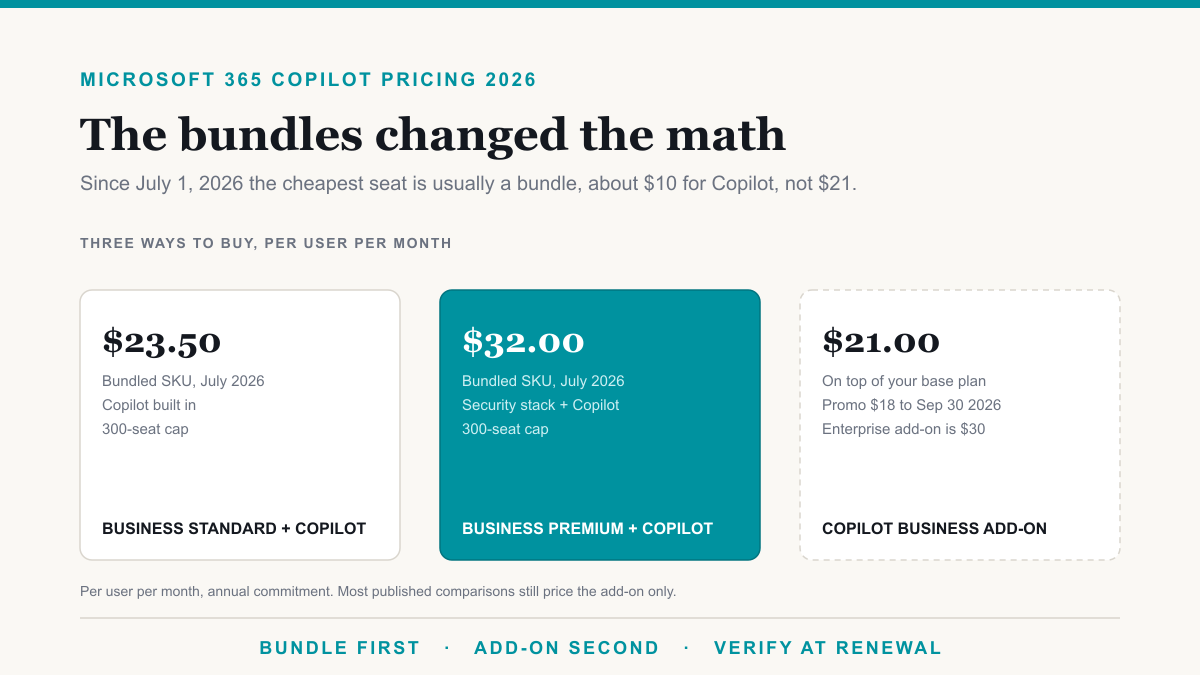
Microsoft repackaged how Copilot bundles into its Business plans on July 1, 2026, and it is no longer only an add-on. Business Standard with Copilot runs $23.50 per user per month and Business Premium with Copilot runs $32, both on an annual commitment, which prices Copilot at roughly $10 instead of the $21 standalone add-on. That add-on is promo priced at $18 through September 30, 2026, and enterprise plans still take Copilot as a $30 add-on. Prices verified August 21, 2026.
The real question is still whether the base plan underneath is right before you add anything to it. Our Microsoft 365 licensing calculator prices Business Premium, E3, and E5 against the capabilities you actually use, and it prices the Copilot bundles too, so you can see the whole number rather than just the add-on.
Who it's for
Organizations on Microsoft 365 that want the productivity of Copilot without the data-exposure risk: regulated businesses, professional services firms, and any team that takes who-can-see-what seriously.
Want the hire-us version of this work? That is the consulting engagement. This page stays the product explainer: what Copilot does, why permissions come first, and what Microsoft currently charges.
What Microsoft Copilot consulting covers
Licensing done right
We figure out who actually needs Copilot, map it to the right plans, and time the purchase so you are not paying for licenses that sit unused while you wait to roll out.
Data & permissions governance
Before Copilot is switched on, we make sure your Microsoft 365 permissions are tight, so it surfaces what people should see and nothing they should not. This is the step most rollouts skip, and regret.
Controlled rollout
A staged deployment that starts with a pilot group, proves value, and expands, instead of flipping it on for everyone and hoping for the best.
Training that drives adoption
Practical, role-based training so your team knows what Copilot is genuinely good at and how to use it well. A license nobody uses is just a cost.
Field notes on Copilot
The pricing, security, and rollout questions, answered in depth.
Microsoft & Licensing
Microsoft 365 Copilot Pricing in 2026: The Bundles Changed the Math
Microsoft 365 Copilot is $23.50 to $32 per user bundled with Business plans since July 2026, or an add-on from $18. The whole number, plan by plan.
Aug 23, 2026
Cybersecurity
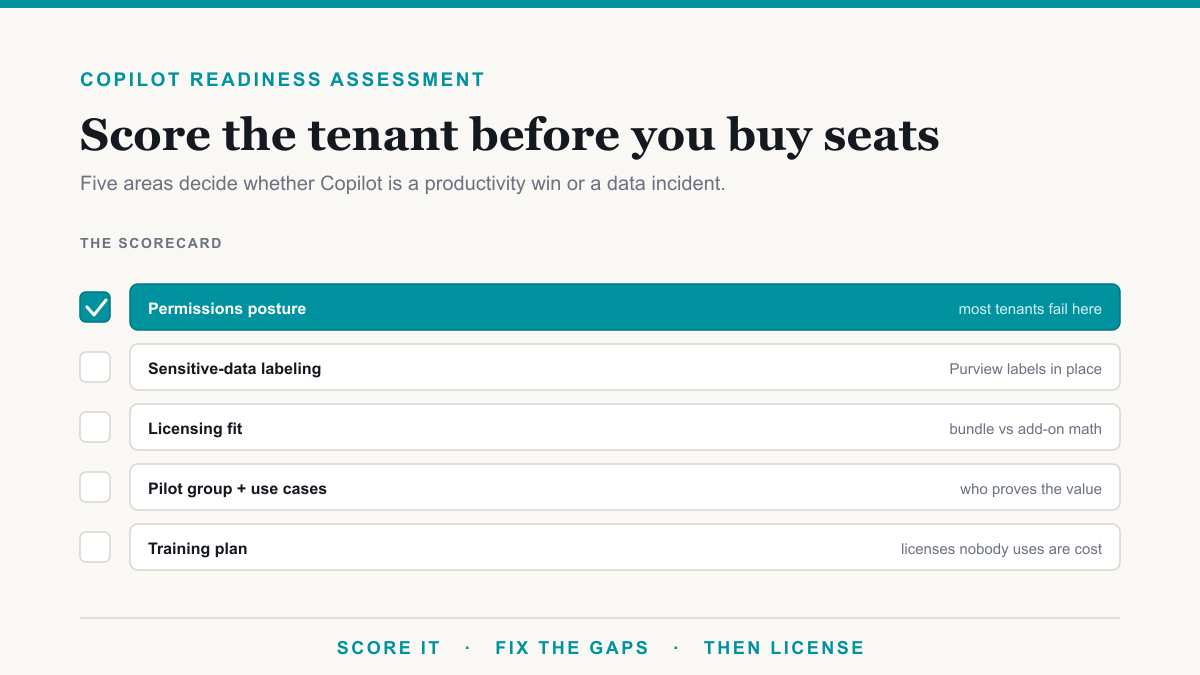
Copilot Readiness Assessment: Score Your Tenant Before You Buy Seats
A Copilot readiness assessment checks permissions, data labels, licensing, and use cases before you pay for seats. Score your own tenant with this checklist.
Aug 24, 2026
Cybersecurity
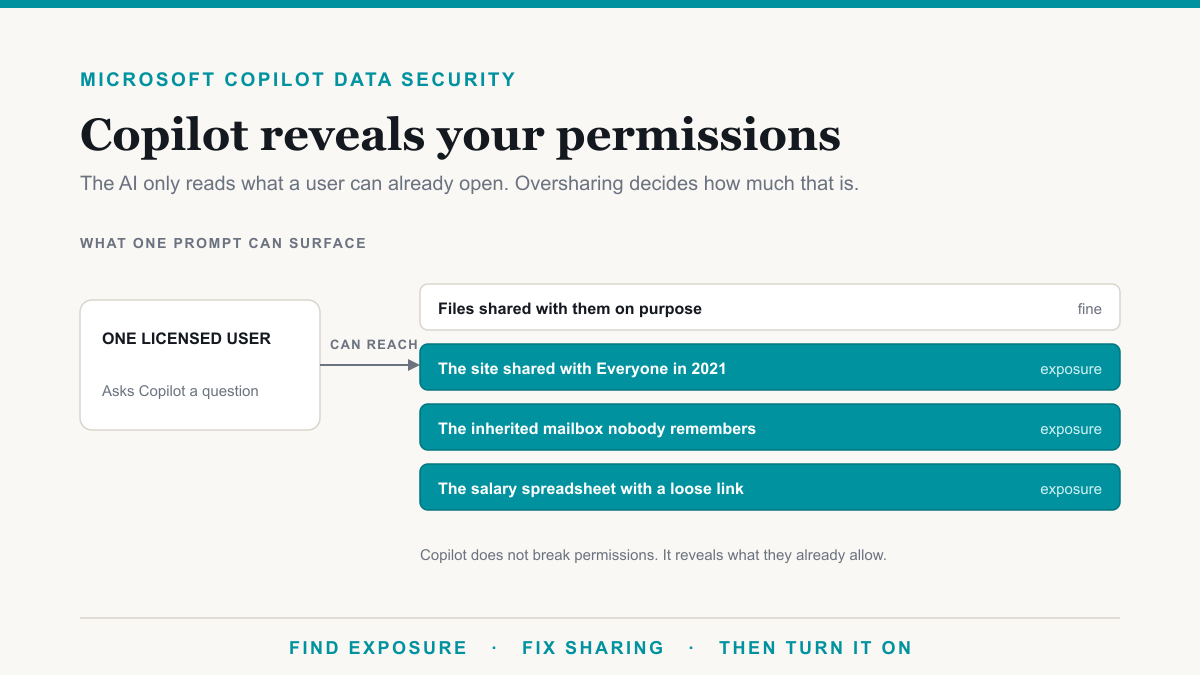
Microsoft Copilot Data Security: The Oversharing Problem Nobody Budgets For
Copilot surfaces anything a user can already open, which turns loose SharePoint permissions into an incident. What to lock down before you switch it on.
Aug 25, 2026
Frequently asked questions
Is this Copilot Studio and custom agents?
No. This is Microsoft 365 Copilot: the assistant built into Word, Excel, Outlook, Teams, and the rest of Microsoft 365. We focus on rolling it out to your organization well, licensing, governance, deployment, and adoption, not on building custom agents.
Why does data governance matter before turning Copilot on?
Copilot can surface anything a user already has access to across Microsoft 365. If your permissions are loose, for example an over-shared SharePoint site or a mailbox with broad access, Copilot makes that exposure obvious and easy to stumble into. We tighten permissions first so it only surfaces what each person should legitimately see.
How do we make sure people actually use it?
Role-based training and a staged rollout. We start with a pilot group, show concrete wins for their actual job, and expand from there. Adoption comes from people seeing Copilot do something useful for their work, not from a company-wide announcement.
How do we know if we are ready?
A short readiness review. We look at your licensing, your Microsoft 365 permissions posture, and your use cases, then give you a clear plan and a realistic view of the value and the cost.
Thinking about Copilot?
Book a 30-minute scoping call. We will tell you straight whether it is worth doing, how we would approach it, and give you a written quote.
Call (855) 737-9500 / (480) 573-3349
Email [email protected]
15-minute response on critical issues, 24/7. Onboarding in two to three weeks.