Is Microsoft 365 HIPAA Compliant? Yes, With Setup
Published July 28, 2026
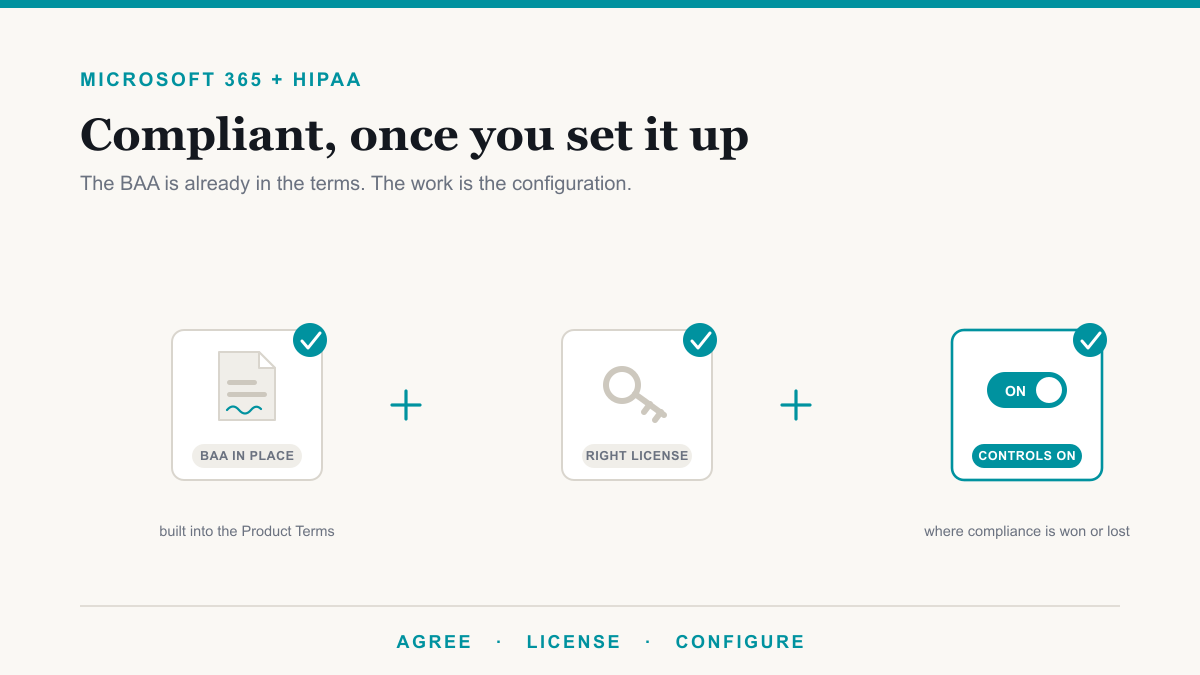
Microsoft 365 can absolutely be HIPAA compliant, but it is not compliant out of the box. Getting there takes three things: Microsoft's Business Associate Agreement, which is already built into the standard terms, a subscription that includes the right protections, and those protections actually turned on and pointed at patient data. For the medical and dental practices that run their whole day in Outlook, Teams, and SharePoint, that last step is where compliance is really won or lost. This guide walks through what makes Microsoft 365 HIPAA compliant in practice: the BAA, where PHI lives in your tenant, the Purview tools that protect it, and what your licensing does and does not cover.
The BAA: already in place, commonly misunderstood
HIPAA requires a Business Associate Agreement with any vendor that handles protected health information on your behalf, and Microsoft clears this bar cleanly. Microsoft includes its BAA in the standard Product Terms that govern Microsoft 365, so for covered entities the agreement is generally already in effect rather than something you hunt down and sign. Microsoft documents which services are in scope on its HIPAA and HITECH compliance page, and the core services a practice uses daily, Exchange email, SharePoint, OneDrive, and Teams, are covered.
The misunderstanding is what the BAA buys you. It covers Microsoft's side: how Microsoft secures its data centers and handles your data in its services. It says nothing about how your practice configures those services, who you give access to, or whether your front desk emails PHI unencrypted. A BAA is a required piece of compliance, not a substitute for the rest of it. Our guide to HIPAA compliance for dental practices covers that fuller picture, from the risk assessment on down.
Where PHI actually lives in Microsoft 365
Before configuring anything, it helps to be honest about where patient information really sits in a practice's tenant. It is in email threads with patients, referral partners, and labs. It is in spreadsheets and scanned documents in SharePoint and OneDrive. It is in Teams messages where staff ask each other about a patient's schedule. Practice management and imaging systems hold the charts, but a surprising amount of PHI flows through Microsoft 365 every day, and the Security Rule applies to it there just as much as anywhere else. The HHS Security Rule guidance expects safeguards wherever electronic PHI is created, stored, or transmitted.
The Purview settings that do the protecting
Microsoft Purview is the set of tools inside Microsoft 365 that turns a general-purpose tenant into one that treats patient data as special. The pieces map neatly onto what HIPAA expects:
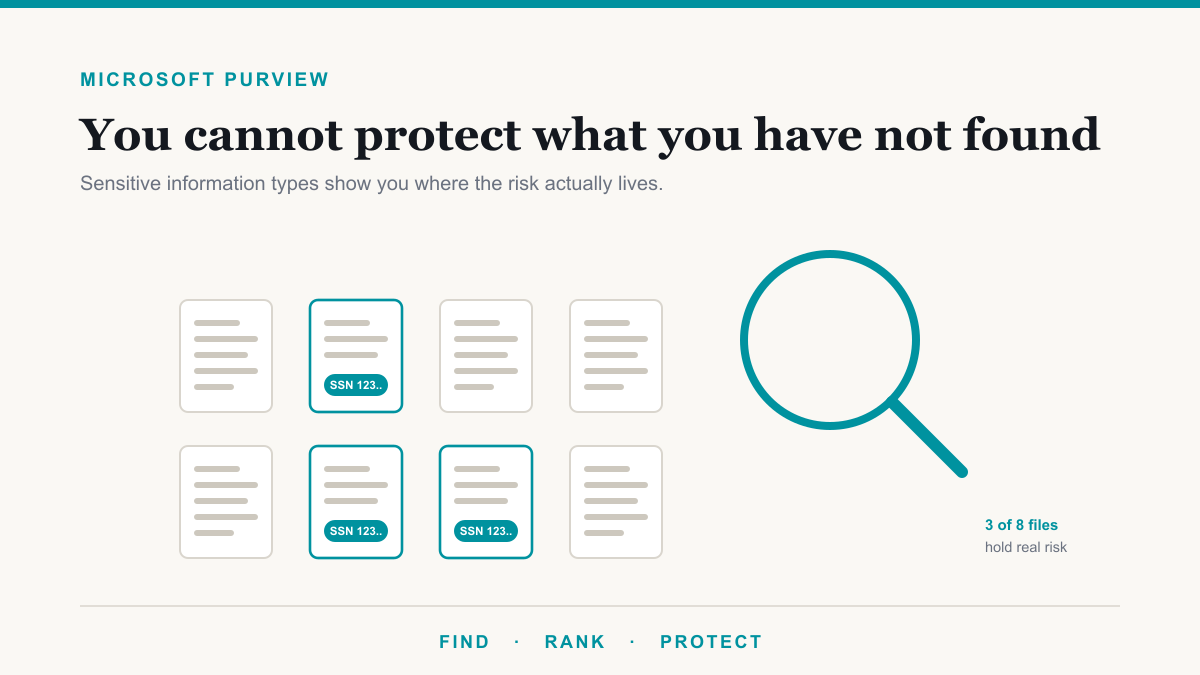
- Find it. Purview's sensitive information types can recognize patient identifiers like medical record numbers and health identifiers automatically, so you know where PHI is concentrated instead of guessing.
- Encrypt it in email. Message-level encryption keeps PHI readable only by the intended recipient, whether applied by hand or by a label. Our walkthrough on sending encrypted email in Microsoft 365 covers the mechanics and what recipients see.
- Stop the accidents. A data loss prevention policy watches outgoing email and file sharing for patient data and can warn, require justification, or block, and it can encrypt PHI-bearing email automatically so protection does not depend on anyone remembering.
- Keep records the right length of time. Retention policies enforce your record-keeping timelines automatically, including the six-year retention HIPAA requires for compliance documentation, instead of leaving it to habit.
- Prove who did what. Audit logging records access and activity across the tenant, which is what lets you answer an investigator's questions with evidence instead of memory. Note that for business plans, auditing requires a one-time enablement; it is not on by default.
None of these are exotic. They are switches and policies that exist in the tenant your practice already pays for, waiting to be configured with patient data in mind.
What licensing you need
For many small practices, Microsoft 365 Business Premium covers the essentials: encrypted email, sensitivity labels, DLP for email and files, retention policies, device management for the laptops that leave the office, and strong identity protection with multifactor authentication. That is a genuinely defensible HIPAA toolkit for a practice of ordinary complexity. The advanced tier, Microsoft 365 E5 or a Purview add-on, adds automation and depth: auto-applying labels based on content, insider risk management, disposition review for records, and broader DLP coverage. Growing or multi-location organizations tend to grow into those. The honest starting point is confirming what your current plan already includes before buying anything, because the most common gap we see is not missing licenses. It is owned features that were never turned on.
What Microsoft 365 does not do for you
Even perfectly configured, Microsoft 365 covers only part of HIPAA. Your security risk analysis, workforce training, written policies, decisions about who gets access to what, the security of workstations and networks, agreements with your other vendors, and your breach response procedures all remain yours. Compliance is a property of the practice, not of any product. This is the layer where an IT partner that works with healthcare organizations earns its keep, connecting the tenant settings to the risk analysis and the paperwork so the whole program holds together. That is the work described on our medical IT and compliance pages.
Frequently asked questions
Is Microsoft 365 HIPAA compliant?
Microsoft 365 can be used in a HIPAA-compliant way, but no software is compliant by itself. Compliance takes three things: Microsoft's Business Associate Agreement, which is built into the standard terms, a plan with the right protections, and those protections actually configured for patient data.
Does Microsoft sign a BAA for Microsoft 365?
Yes. Microsoft includes its Business Associate Agreement in the standard Product Terms that cover Microsoft 365, so for covered entities the agreement is generally already in place rather than something you request and sign separately. It is still worth confirming your subscription and services are in scope.
Is Microsoft 365 Business Premium enough for HIPAA?
For many small practices, largely yes. Business Premium includes encrypted email, sensitivity labels, data loss prevention for email and files, retention policies, device management, and strong identity protections. Advanced features like auto-labeling and insider risk management require E5 or a Purview add-on.
Can I send patient information through Outlook?
Yes, if the message is encrypted. Ordinary email is only protected in transit, so PHI should go out with message-level encryption, applied with the Encrypt button, a sensitivity label, or automatically by a DLP policy that recognizes patient data. Unencrypted PHI in email is very hard to defend in an audit.
Can we store patient records in SharePoint and OneDrive?
Yes. SharePoint and OneDrive are within the scope of Microsoft's BAA, and with sensible permissions, sensitivity labels, and retention rules they are a reasonable place for PHI. The risk is not usually the platform. It is broad sharing settings quietly exposing files to the whole organization.
Does a BAA make my practice HIPAA compliant?
No. The BAA covers Microsoft's responsibilities for the services it runs. Your risk analysis, workforce training, access decisions, policies, workstation security, and breach procedures remain your responsibility. A BAA is one required piece of compliance, not a substitute for the rest of it.
Making Microsoft 365 HIPAA compliant in your practice
Two follow-on questions come up in nearly every practice: whether Copilot can be used in a HIPAA tenant (it can, with Purview and access controls in place first), and how to prove the safeguards work, which is what a penetration test against the practice is for.
So is Microsoft 365 HIPAA compliant? It is fully capable of it, and most practices already own the pieces: the BAA is in the standard terms, and Business Premium carries the core protections. What separates a compliant tenant from a risky one is configuration, encryption on by default for PHI, DLP watching the exits, retention enforcing the timelines, auditing switched on, and access trimmed to who actually needs it. If you would like a clear picture of where your tenant stands and which of the features you already pay for are still switched off, Desert Lakes Solutions offers a no-pressure discovery call to walk through it. Book a discovery call whenever you are ready.