Patch Management: A Never-Ending Battle
Published September 22, 2026
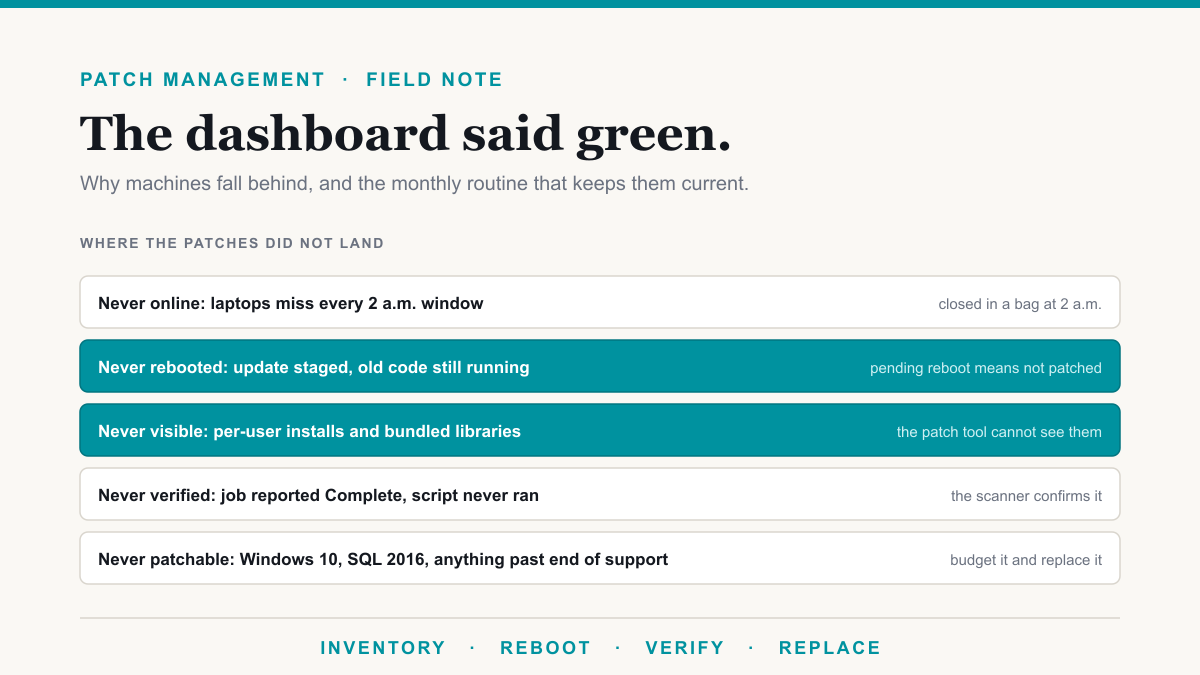
Patch management is monthly work that never stays done. Microsoft, the browser makers, and every application vendor ship updates on their own schedules. Each update has to install on every machine, get a restart, and be confirmed by something other than the tool that pushed it. That is what a cyber insurance application or a HIPAA risk assessment is asking about when it asks whether your systems are kept current. Here is the routine that keeps an office current, and the reasons machines fall behind.
What it takes to stay ahead of patch management
NIST's guide to enterprise patch management planning treats patching as routine maintenance with a schedule and a way to measure it. For a practice or firm with a few dozen to a few hundred computers, the routine looks like this.
- Clean the device list every cycle. Retired and replaced machines come out of the scanner, the RMM tool (the remote management agent your IT company runs on each machine), and Intune. Otherwise the numbers describe computers you no longer own.
- Enforce a reboot deadline. A machine with a pending restart gets a few days to comply, then restarts itself after hours. This closes most of the Windows update gap on its own.
- Run patch jobs on next connect. Laptops get patched when they show up. A fixed 2 a.m. window misses every laptop that is closed in a bag.
- Verify with a scanner. The patch job's log only says the script finished. The vulnerability scanner's next inventory, which reads what is on the disk and the build the machine is actually running, is what confirms the update landed.
- Cover every machine with an agent. Group Policy only reaches domain-joined computers. An agent reaches all of them, including the ones that were never joined.
- Read the exceptions. Every fleet has a few machines a job skips: a wrong package name, a server too old to run the script, a Linux box that landed in a Windows job. Someone has to look at the skipped list.
- Keep a replacement calendar. Anything past end of support gets a date and a budget line.
- Patch servers one at a time. Snapshot first, confirm the reboot-required flag clears and services come back, then move to the next one.
Why machines fall behind
Windows updates need a restart. A cumulative update downloads and stages, then waits. A desktop that is online every day but never restarted stays on the old build. A browser updated on disk keeps running the old version until someone closes it.
Laptops are offline at the window. The patch window is overnight because nobody is working, and nobody working means the laptops are closed. A field laptop that connects for twenty minutes a week misses every scheduled run.
Patch tools only see machine-wide installs. Chrome installed into a single user's profile is invisible to a tool running as the system account. Libraries bundled inside other software have no Windows update at all. OpenSSL, an encryption library, shows up inside Webex, OneDrive, Zoom, and driver packages, and clearing it takes a cleanup of leftover version folders. The next application update leaves new copies behind.
A green job status only means the script finished. A truncated script, a wrong package name, or a server with no internet access can all report Complete and install nothing. An uninstall can report complete and leave the whole program folder on disk.
The dashboard count misleads. A vulnerability stays listed until the last machine with it is fixed, so the headline number barely moves even while exposure drops. Retired machines that are still enrolled inflate it further. Watch the top ten machines by name. Most findings usually sit on a few computers with an out-of-date browser.
Some software cannot be patched. Windows 10 stopped getting security updates on October 14, 2025. SQL Server 2016 left extended support on July 14, 2026. The only fix for either is replacement, and something else ages out every year.
There are always more findings than hours. CISA's Known Exploited Vulnerabilities catalog lists the bugs attackers are actually using. Those go first, ahead of hundreds of theoretical findings on a machine nobody logs into.
This is part of the monthly work inside a managed IT service, and part of what a security program checks with its own scanner. If your insurer asks about patch cadence, our compliance work is where the answer gets documented, and our cyber insurance requirements post covers the rest of the questionnaire.
Frequently asked questions
What is patch management?
It is the routine of installing security updates on every computer, server, and application a business runs, then confirming they installed. In practice that means an agent on each machine, a monthly window for Windows updates, browsers and applications updating in between, and a scanner that checks the results.
How often should a business install patches?
Monthly for Windows, with a deadline that forces a restart. Browsers and common applications update more often and should be allowed to. Anything on CISA's Known Exploited Vulnerabilities list gets handled within days, whatever the calendar says.
Why does the scanner still flag a machine after the update says installed?
Usually the machine never restarted, so the update is staged and the old code is still running. The other common cause is an uninstall that removed the registry entry and left the program folder on disk. The scanner reads the disk, so leftovers keep counting until someone deletes them.
Does cyber insurance require patch management?
Most applications now ask how quickly critical patches are applied and whether any unsupported software is still in use. Insurers can ask for evidence at claim time, so the answer should come from a scanner report, and a patch job that has been quietly failing is a bad thing to discover then.
Keeping up with patch management
Patch management comes around every month because the fleet keeps changing: new laptops, retired desktops, applications that carry their own libraries, machines nobody restarts, software that ages out of support. Keeping current means someone compares the scanner against the patch tool each cycle, chases the machines that missed the window, and replaces what can no longer be updated.
If you would like to know whether your own patching holds up, we offer a no-pressure discovery call to go through your setup, compare what your scanner says with what your patch tool claims, and find the easy wins. Book a discovery call.