Unused Microsoft 365 Licenses: How to Find and Cut Them
Published February 9, 2024, updated August 4, 2026
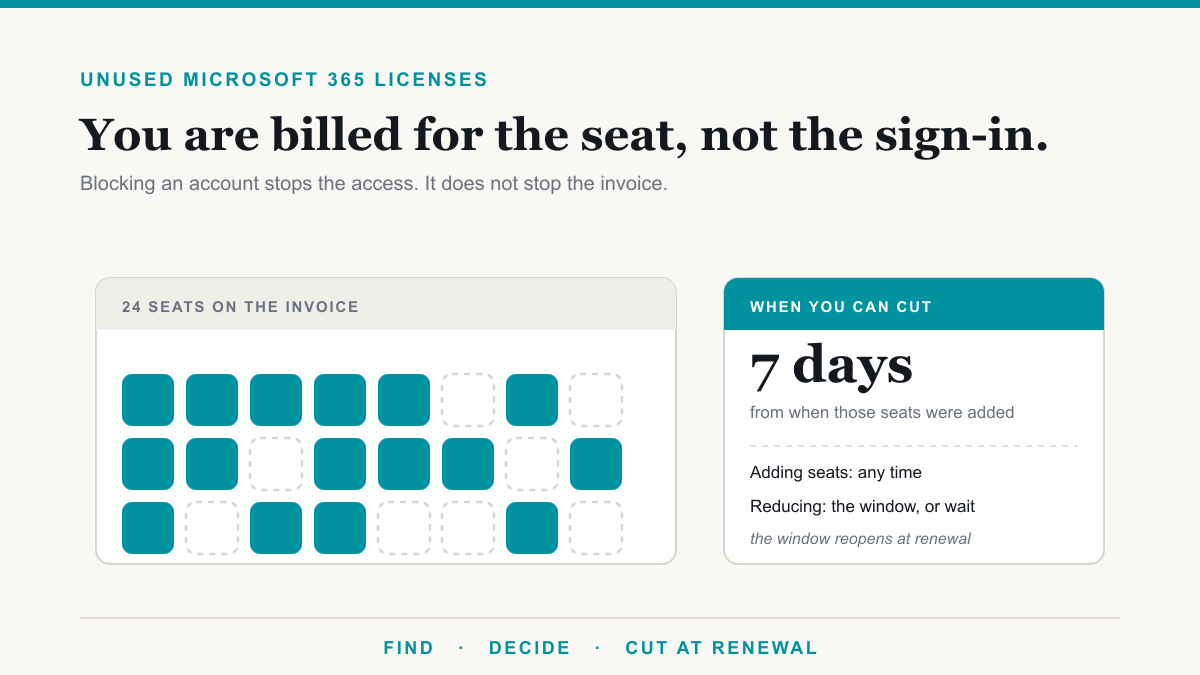
You find unused Microsoft 365 licenses in two places in the admin center: Billing then Licenses, which shows the gap between the seats you are paying for and the seats you have assigned, and Users then Active Users, which shows the last sign-in date for every licensed person. Most organizations that look find something, because licenses get assigned the day someone joins and almost never get removed when they leave or change roles.
The reason this is worth an hour of anyone's time is that it is one of the few IT exercises that gives money back rather than asking for it. This post is for owners and office administrators at small and mid-sized businesses who suspect they are paying for more Microsoft 365 than they use and want to know how to check, and just as importantly, when they are actually allowed to make the change.
Where the waste comes from
Unused Microsoft 365 licenses usually accumulate in four ways, and they need different fixes.
- Bought and never assigned. Someone added five seats for a hiring push that slowed down. The seats sit in the subscription, billing every month, attached to nobody.
- Assigned to people who left. The account was blocked so the person could not sign in, which feels like the job is done. It is not. Blocking stops access, not billing.
- Over-specced for the role. The warehouse team, the part-time bookkeeper, and the front desk are all on the same plan as the partners, because it was easier to buy one thing for everyone.
- Overlapping add-ons. A standalone product bought years ago that is now included in the base plan, or two tools doing the same job.
The first two are pure waste and you should cut them. The third is a right-sizing decision. The fourth is worth an explicit look, because it is the least visible.
How to find it in about twenty minutes
You need Global Administrator or Billing Administrator rights. Nothing here changes anything, so it is safe to look.
- Billing, then Licenses. Every subscription lists total, assigned, and available. Anything in the available column is a seat you own and nobody is using. Write the number down per product.
- Users, then Active Users. Add the last sign-in column if it is not showing. Sort by it. Anyone licensed who has not signed in for 30 or 60 days is a candidate, though check before assuming: seasonal staff, people on leave, and service accounts will all show up here.
- Reports, then Usage. The admin center activity reports break usage down by workload. This is where you see the person licensed for the full suite who only ever opens email, which is the right-sizing signal rather than the cut signal.
- Cross-check against your actual staff list. Not the one in the system, the one the office manager keeps. Accounts for people who left often survive because nobody told IT.
Do this before you get to a renewal quote, not after. The order matters for the reason in the next section.
The seven-day window, which is the part that catches people
Finding the waste is the easy half. Acting on it runs into a rule that surprises almost everyone the first time.
Under Microsoft's current commerce terms, you can add seats to a subscription at any time. You can only reduce the seat count within seven calendar days of when those licenses were added, and Microsoft's cancellation policy is explicit that this applies at the original purchase, at each renewal, and to any seats added mid-term. Once the window closes, the count is locked until the next renewal opens a new one.
Two consequences follow from that, and they are the whole reason to plan this rather than react to it:
- The clock runs per batch, not per subscription. If you bought 20 seats in January and added 5 in June, those 5 have their own seven days. Reducing the original 20 in June is not on the table.
- Your annual renewal date is the appointment. It is the one moment the window reliably reopens on the full count. Doing your license review three or four weeks before renewal, so the decisions are already made when the window opens, is the difference between saving the money this year and saving it next year.
If you want the fuller picture of how renewal timing works, including in-term price locks and the upgrade exception, we cover it in our guide to Microsoft licensing renewals.
What not to cut
A few guardrails, because an over-enthusiastic cleanup causes its own problems.
Deleting the account does not stop the bill. Deleting or blocking a user frees the license so you can hand it to somebody else, which is useful. It does not reduce the subscription. You are still paying for the seat until you reduce the count, inside the window. Worth knowing too: Microsoft holds a deleted account's data for 30 days, so a deletion is recoverable for about a month and then it is not.
Departing staff are a conversion, not a deletion. The standard move is to convert the user mailbox to a shared mailbox and then unassign the license. Whoever needs to see that mail still can, and Microsoft documents that a shared mailbox stores up to 50 GB without a license assigned. You only need to license it if it goes over 50 GB, needs in-place archiving, or has to be placed on litigation hold. For a departed employee's mailbox that is mostly a reference archive, none of those usually apply.
Check the litigation hold and retention picture first. If a mailbox is under a legal hold or a retention policy that matters, talk to whoever owns that obligation before you touch the license. This is the one place where saving $22.00 a month can cost you a great deal more.
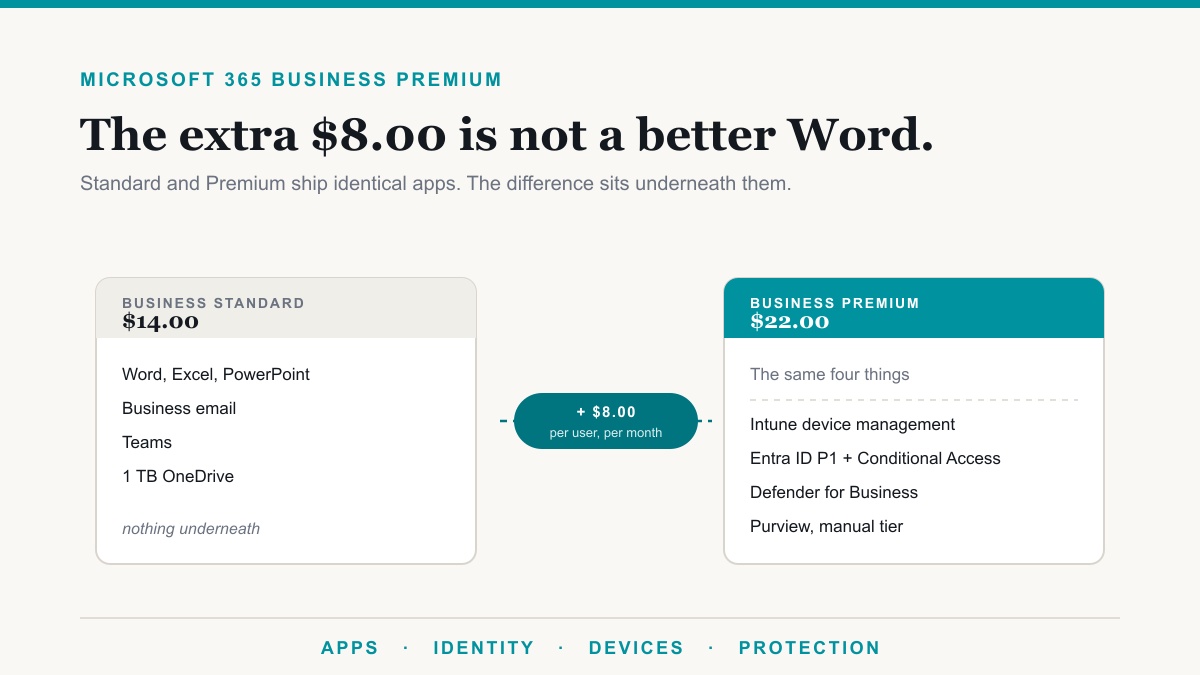
Do not right-size security down to save a few dollars. Dropping people from Business Premium to Business Standard saves $8.00 per user and removes device management, Conditional Access, and endpoint protection for those people. That is not a licensing decision, it is a risk decision. Our breakdown of what is included in Business Premium lays out exactly what the $8.00 covers.
The annual versus monthly question
While you are in there, look at the billing term. Across Business Basic, Business Standard, and Business Premium, the monthly price is exactly 20% higher than the annual price: $8.40 against $7.00, $16.80 against $14.00, and $26.40 against $22.00.
That 20% is the premium for flexibility, and it is only worth paying on seats you genuinely expect to shed. The common sensible pattern is a stable core of annual licenses covering your permanent staff, with monthly seats for seasonal, contract, or probationary people. Putting the whole organization on monthly because it feels safer usually just costs 20%.
Making it a habit
The reason unused Microsoft 365 licenses build up is not carelessness, it is that nothing in the system tells you. There is no alert for a seat nobody signed into for six months. The bill arrives, it looks roughly like last month's, and it gets paid.
So put it on the calendar rather than trusting it to come up. Once a year, three weeks before renewal, at minimum. Quarterly if you have regular turnover. And build the offboarding habit while you are at it: when someone leaves, convert the mailbox, unassign the license, and note the seat so it either gets reused or gets dropped at the next renewal.
If you would like a second set of eyes on the numbers, the Microsoft 365 licensing calculator prices a proposed mix, and the license decision tree works out which plan each type of role in your business actually needs.
Frequently asked questions
How do I find unused Microsoft 365 licenses?
Two places in the admin center. Billing then Licenses shows the gap between what you bought and what is assigned, which is your unassigned seats. Users then Active Users shows last sign-in date per person, which finds licenses assigned to people who are not using them.
Can I reduce my Microsoft 365 license count mid-term?
Only within seven calendar days of when those specific licenses were added, whether that was the original purchase, a renewal, or a mid-term addition. After that window closes, the count is locked until the next renewal. Adding seats is always allowed.
Does deleting a user stop the license billing?
No. Deleting or blocking an account frees the license to reassign, but it does not reduce what you are paying for. You still own the seat until you reduce the subscription count inside the seven-day window, and Microsoft holds the deleted account's data for 30 days.
Do shared mailboxes need a Microsoft 365 license?
Not usually. Microsoft documents that a shared mailbox can store up to 50 GB without a license assigned. You need a license only if it exceeds 50 GB, needs in-place archiving, or has to be placed on litigation hold, each of which requires Exchange Online Plan 2 or Plan 1 with an archiving add-on.
What should I do with a departing employee's mailbox?
Convert the user mailbox to a shared mailbox, then unassign the license. The mail stays accessible to whoever needs it, and you stop paying for the seat. Microsoft supports this conversion directly in the admin center, and the shared mailbox is free under 50 GB.
Is annual or monthly billing better for Microsoft 365?
Monthly costs exactly 20% more on every Business plan, so annual is cheaper if your headcount is stable. Monthly is worth the premium only if you genuinely expect to shed seats, because monthly billing is what lets you drop them without waiting for a renewal.
How often should we review Microsoft 365 licensing?
At minimum once a year, timed a few weeks before your renewal date so any reduction lands inside the seven-day window that opens at renewal. Businesses with regular staff turnover are better served by a quarterly look at the active users report.
Turning unused Microsoft 365 licenses back into money
Unused Microsoft 365 licenses are one of the few IT problems where the fix is free, the tools are already in your admin center, and the answer shows up on the next invoice. The only real constraint is timing: find the waste on your own schedule, and make the cut in the seven-day window that opens at renewal.
If you would like someone to run this review with you and tell you plainly what is safe to cut and what is not, Desert Lakes Solutions offers a no-pressure discovery call to go through your tenant and your renewal dates. Book a discovery call.