Self-Hosted LLMs for Business: Real Costs and When Local Makes Sense
Published August 27, 2026
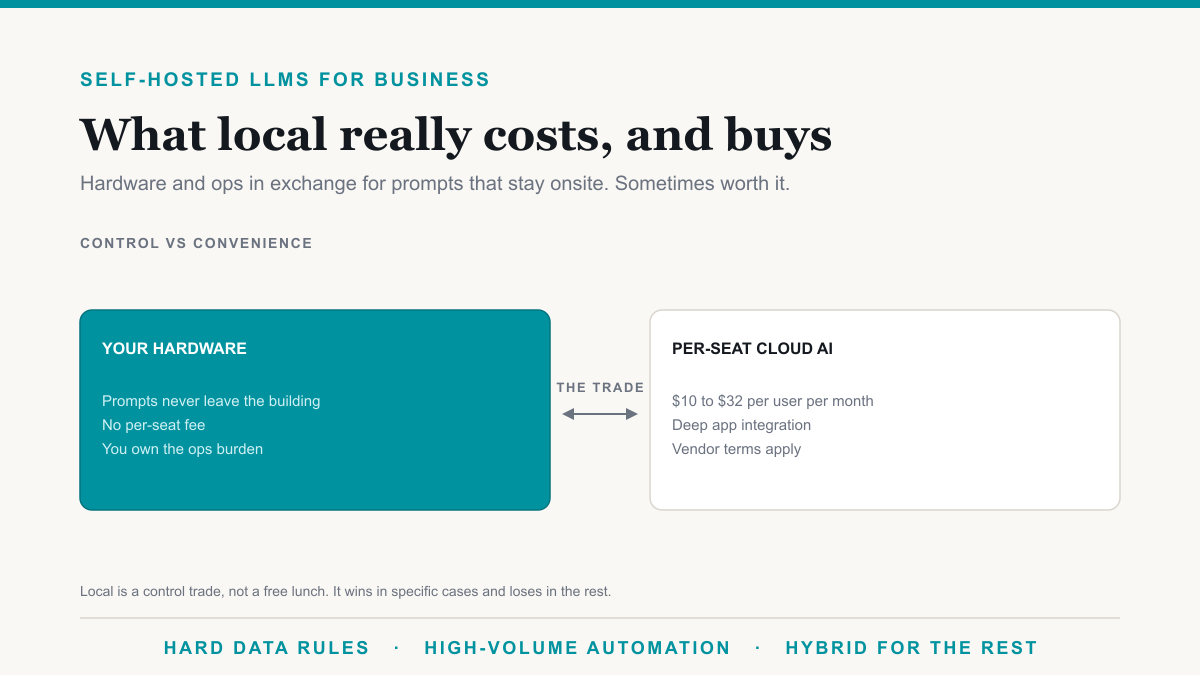
A self-hosted LLM is a language model you run on hardware you control so prompts never leave the building, in exchange for buying that hardware and keeping it running. It is not free, and it is not a drop-in replacement for Microsoft 365 Copilot. This is for business owners weighing local AI against a per-seat product, including the cases where we already run local models in production.
What self-hosting actually means
Self-hosting means the model weights sit on a GPU box in your office, your closet, or a rack in a client environment, and the application that calls it (a chat UI, a script, an automation supervisor) talks to that box on your network. Tools in this tier include runtimes such as Ollama for simple setups and vLLM when you need proper serving. There is no per-user Microsoft or OpenAI invoice for that inference. There is also no Microsoft Graph. The model only sees what you send it.
That last sentence is the whole product. Copilot sees the mail and files the signed-in user can already open. A local model sees the text your script pasted in. If you wanted tenant-aware answers in Outlook, you bought the wrong architecture.
The real bill
Date these comments: August 2026. Cards and prices move. We do not publish a SKU list here because it would be wrong by Christmas. The bill still has the same parts:
- Hardware. A workstation-class GPU machine for light internal use, or a small dedicated server if the model has to stay up for production jobs. This is a capital purchase you refresh, not a $20 seat you cancel.
- Power and cooling. GPUs draw real wattage. A box that runs all day shows up on the electric bill and in the room temperature. Nobody puts that line on the SaaS comparison slide.
- Ops time. Updates, disk filling up with weights, a failed fan, a model that needs more memory than you bought, someone on vacation when it stops. That time is the item teams forget to price.
Contrast that with Microsoft 365 Copilot on the current Business bundles: about $10 extra per user inside Business Standard with Copilot at $23.50 or Business Premium with Copilot at $32, verified against Microsoft's pricing in August 2026, with a 300-seat cap on that family. For 25 people who only need help in Word and Outlook, the SaaS number is the smaller, more predictable one. Local starts to look rational when you are not buying 25 chat seats, you are running a high-volume job on one box.
What local models do well in a business
We run local AI in production as the supervisor on Playwright automation inside the client's environment. The model watches a run, handles variation when a screen changes, and the data in that workflow never goes to a cloud AI. That is the job it is good at for us: classification, a short decision, a draft of a structured output, keeping a bot from falling over. Same class of work: summarizing an internal packet you will not upload, tagging documents, drafting from a file that already sits on the machine.
Those are bounded tasks. The model does not need to search last month's email. It needs to be right enough, on-box, on a loop.
What they cannot do
A local LLM does not inherit Microsoft 365 permissions. It will happily summarize a file you fed it, including one the requester should not have had. There is no Purview label check unless you build one. There is no Copilot-style citation back to a SharePoint document the user already had rights to. Capability is also behind the large hosted models on hard reasoning and on "just handle this messy request." And the box is a single point of failure: when it is down, the assistant is down. Copilot's failure mode is Microsoft's. Yours is a hardware problem at 4:30 on a Thursday.
When local is the right call
- Hard rules that data cannot touch a third-party AI, including some regulated workflows and air-gapped networks.
- High-volume automation where a per-seat Copilot or ChatGPT price would be silly because the "user" is a service account running thousands of times a day.
- IP you will not put in a vendor prompt, even on a no-train business plan.
Those are specific. They are also the cases we say yes to.
When it is the wrong call
Most offices under 50 seats that want email drafts, meeting recaps, and help in Excel. That is Copilot's job, or Gemini's if you live in Google Workspace. Buying a GPU to avoid $10 to $32 per user is a false economy once you count the person who has to care for the box. Hobbyist local-LLM energy is fun on a weekend. It is a poor staff-wide productivity plan.
The hybrid answer
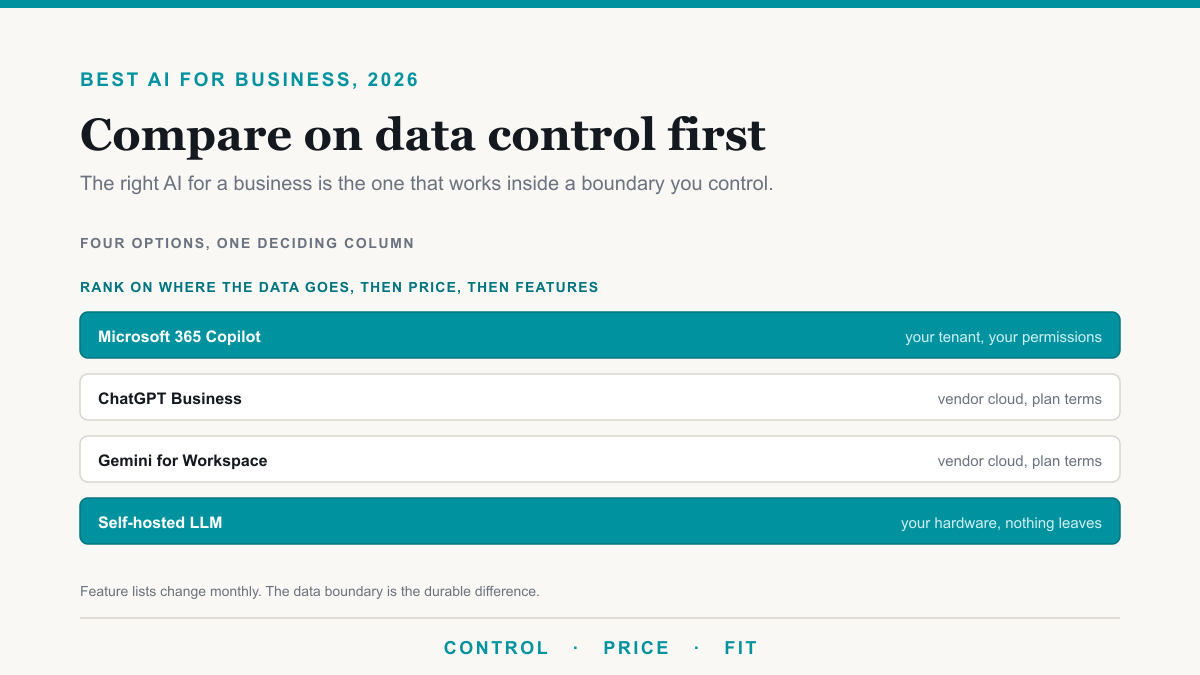
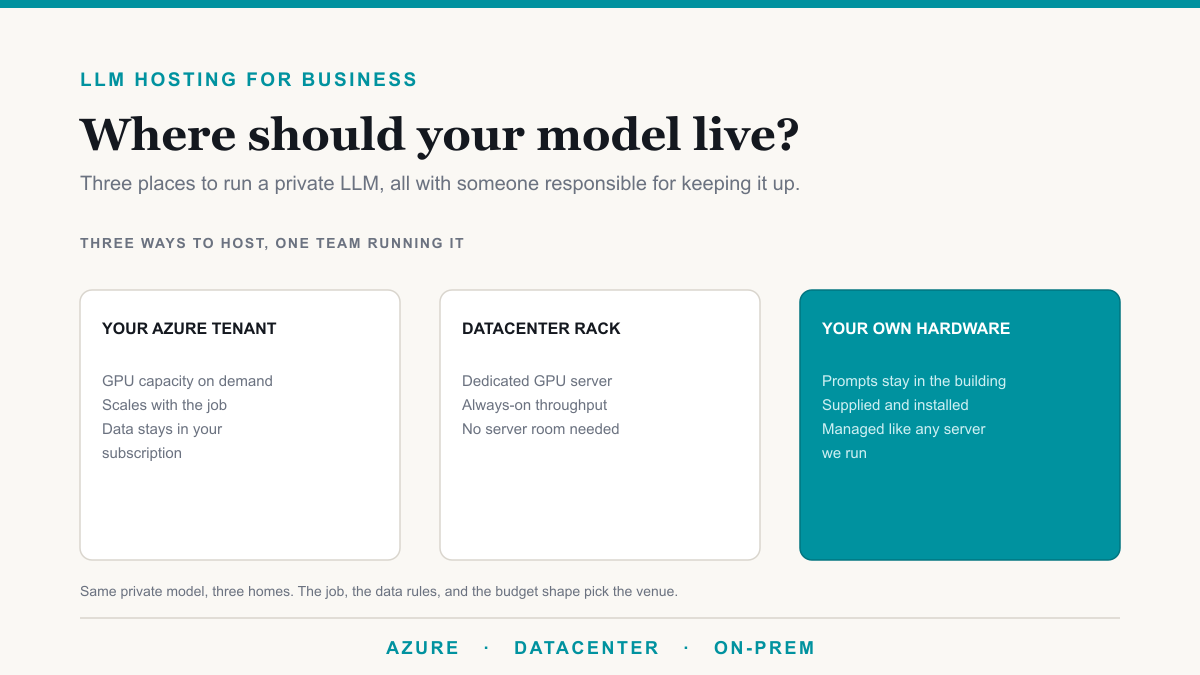
The split that works in practice: Copilot (or your in-suite assistant) for people, local models for automation. Staff stay inside the tenant boundary. The robot stays on the machine next to the workflow. That is how we deploy it, and it matches how the broader AI comparison should be read. For the Copilot vs ChatGPT permission story, see Copilot vs ChatGPT for business. If you want that private model hosted for you rather than running the box yourself, that is LLM hosting for business.
Frequently asked questions
How much does it cost to self-host an LLM for a business?
You pay for a GPU workstation or small server, electricity, and the time to keep the model and box updated. There is no per-seat SaaS fee. A light internal tool can run on a single capable GPU machine. An always-on production box costs more in hardware and in the person who notices when it dies. Compare that to Copilot at roughly $10 to $32 per user on current Business bundles.
Is a self-hosted LLM more secure than ChatGPT or Copilot?
It can be, because prompts never leave the machine you control. That only holds if the box is patched, access is limited, and backups exist. Copilot stays inside your Microsoft 365 tenant under your existing permissions. Consumer ChatGPT is a different contract. Local is a control trade, not an automatic security upgrade.
What hardware do you need to run an LLM locally?
A dedicated GPU with enough memory for the model you actually run, plus disk for the weights and a machine you can leave on. Exact cards change every few months, so buy for the job: drafting and classification on a workstation-class GPU, heavier throughput on a small server. Hobby laptops struggle once more than one person uses it all day.
Can a small business realistically run its own AI?
Yes, for a defined job such as supervising automation or summarizing internal documents, if someone will own the box. No, if the goal is Copilot-style help inside Outlook and Word for every employee with no one to maintain hardware. Most offices under 50 seats that only want email and document help should buy the in-app assistant, not a GPU.
Self-hosted LLMs are a control purchase
A self-hosted LLM is the right buy when you need prompts on-prem and you have a job that fits a local model, especially automation. It is the wrong buy when you wanted Copilot in Outlook. If you want to talk through that split for a workflow you already hate doing by hand, Desert Lakes Solutions offers a no-pressure discovery call. Book a discovery call.