Copilot vs ChatGPT for Business: Which Protects Your Data
Published August 22, 2026
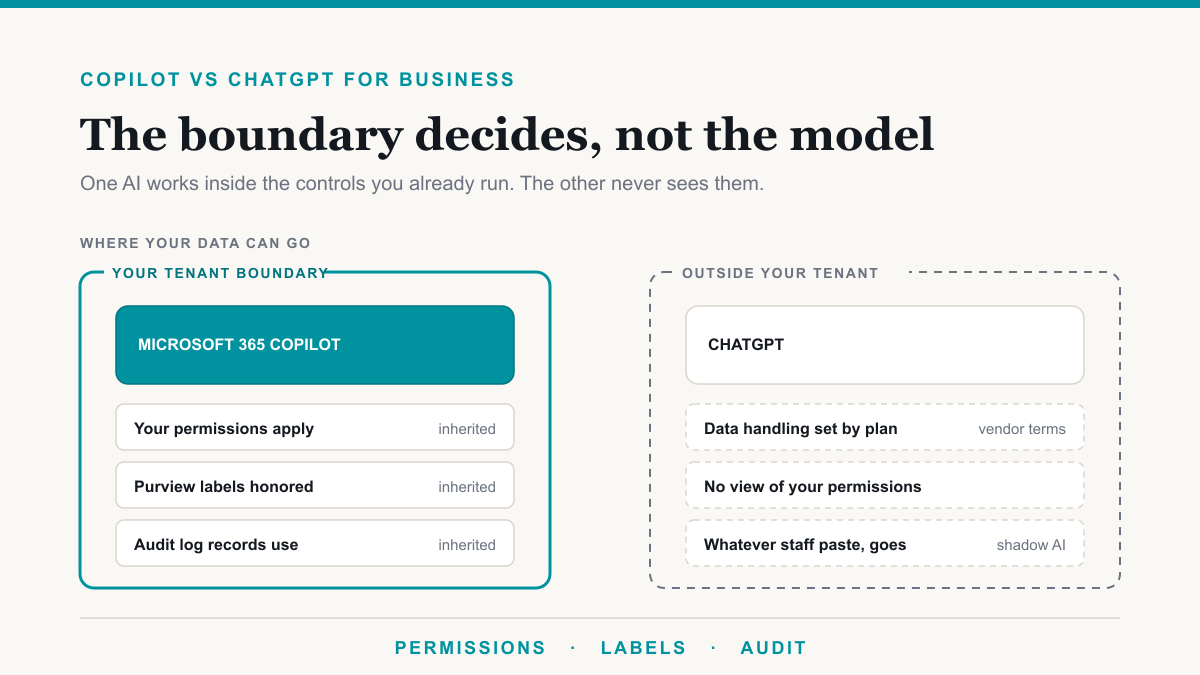
Microsoft 365 Copilot vs ChatGPT for business comes down to where your data can go: Copilot stays inside your Microsoft 365 tenant and only uses files the signed-in person can already open, while ChatGPT's data handling depends entirely on which plan you buy and what people paste into it. That is the difference that matters for a practice or firm with patient files, client records, or payroll sitting in SharePoint. This comparison is for owners and IT managers deciding which AI to roll out, not for picking a favorite chatbot.
The short answer
If your work already lives in Microsoft 365, Copilot is the safer default because it inherits the permission boundary, tenant boundary, and Purview controls you already run. ChatGPT is often stronger as a general assistant, especially for browsing, custom GPTs, and work that is not in Word, Excel, Outlook, or Teams. Use ChatGPT Business or Enterprise if you need that, not personal Free or Plus accounts. For most Microsoft 365 businesses, Copilot is the tool to deploy first, then add ChatGPT on a business plan only where it earns a seat.
Where your data goes with each
Copilot runs inside your Microsoft 365 tenant. Microsoft's Copilot privacy documentation states that prompts, responses, and data accessed through Microsoft Graph are not used to train the foundation models, and that Copilot only surfaces organizational data the individual user already has permission to view. Your files stay in the same service boundary as the rest of Microsoft 365. That is what people mean when they say the data stays in the tenant.
ChatGPT is a different product with different rules per plan. OpenAI's own pages draw a hard line:
- Free, Plus, and Pro on a personal workspace. Data sharing for model training is on by default. You can opt out in Settings, Data Controls, "Improve the model for everyone." Until someone does that, chats can be used to improve the models. OpenAI documents this in its data-use help article.
- ChatGPT Business and ChatGPT Enterprise. OpenAI does not train on organization data by default, including inputs and outputs. That is the plan you want if ChatGPT is going to see company work.
The practical problem is that most "we use ChatGPT at work" stories are staff on personal Plus accounts. Those chats do not inherit your SharePoint permissions, your retention policies, or your audit log. They inherit whatever that person typed, on whatever plan they happen to have.
What Copilot inherits that ChatGPT cannot
Copilot does not invent a new security model. It uses the one you already paid for. ChatGPT cannot see any of this unless you build a custom integration, and even then it is not the same as living inside the tenant.
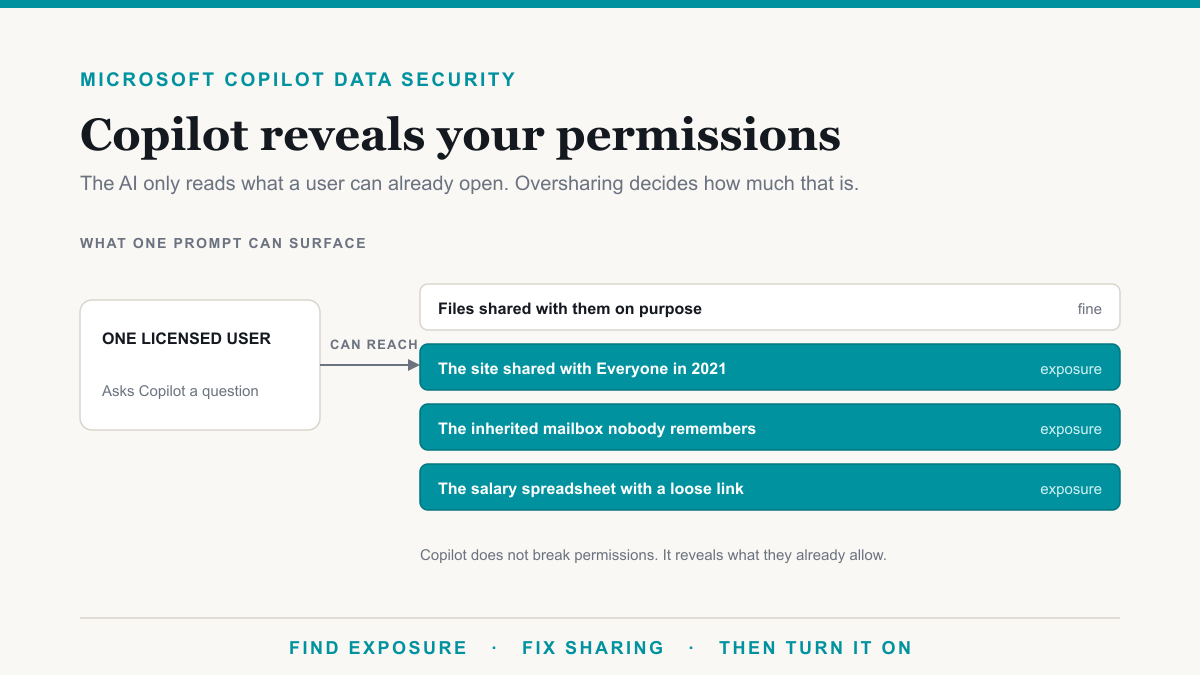
Permissions. Copilot uses Microsoft Graph with the signed-in user's identity. If Jane cannot open the HR folder in SharePoint, Copilot cannot summarize it for Jane either. Microsoft describes this in the Copilot architecture documentation: operating inside the tenant does not grant tenant-wide visibility. ChatGPT only knows what someone pasted or uploaded into that chat.
Sensitivity labels. When a file is encrypted by a Microsoft Purview sensitivity label, Copilot honors the usage rights on that file. If the user is not allowed to open it, Copilot does not use it in an answer. ChatGPT has no idea your labels exist.
Data loss prevention. Purview DLP can include a Microsoft 365 Copilot location, so you can stop Copilot from processing content that matches a label or a sensitive information type. ChatGPT is outside that policy unless you block the site at the network or use a separate enterprise control.
Audit log. Copilot prompts and responses are stored as interaction data in Microsoft 365 and can be reviewed under your existing audit and retention commitments. Personal ChatGPT chats are not in your tenant audit log. You will not have a clean record of what left the building.
Retention. Copilot activity history is treated as Microsoft 365 content, subject to the retention you already set. ChatGPT retention is whatever OpenAI's plan and your workspace settings allow, which is a different contract and a different admin console.
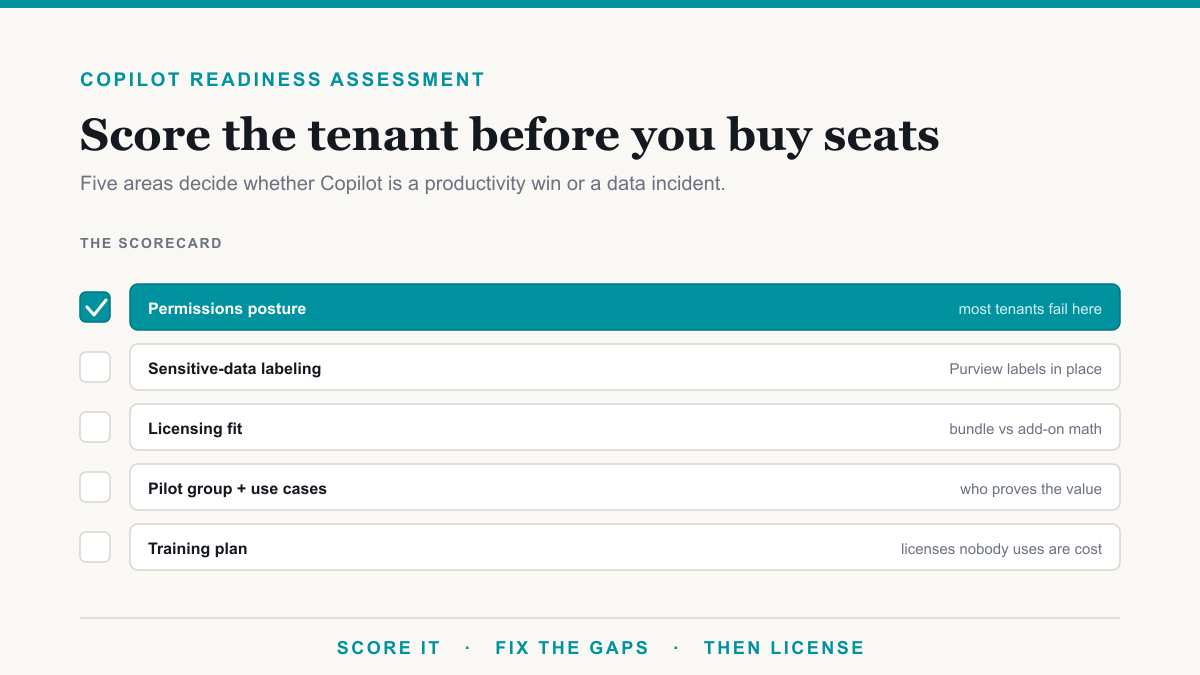
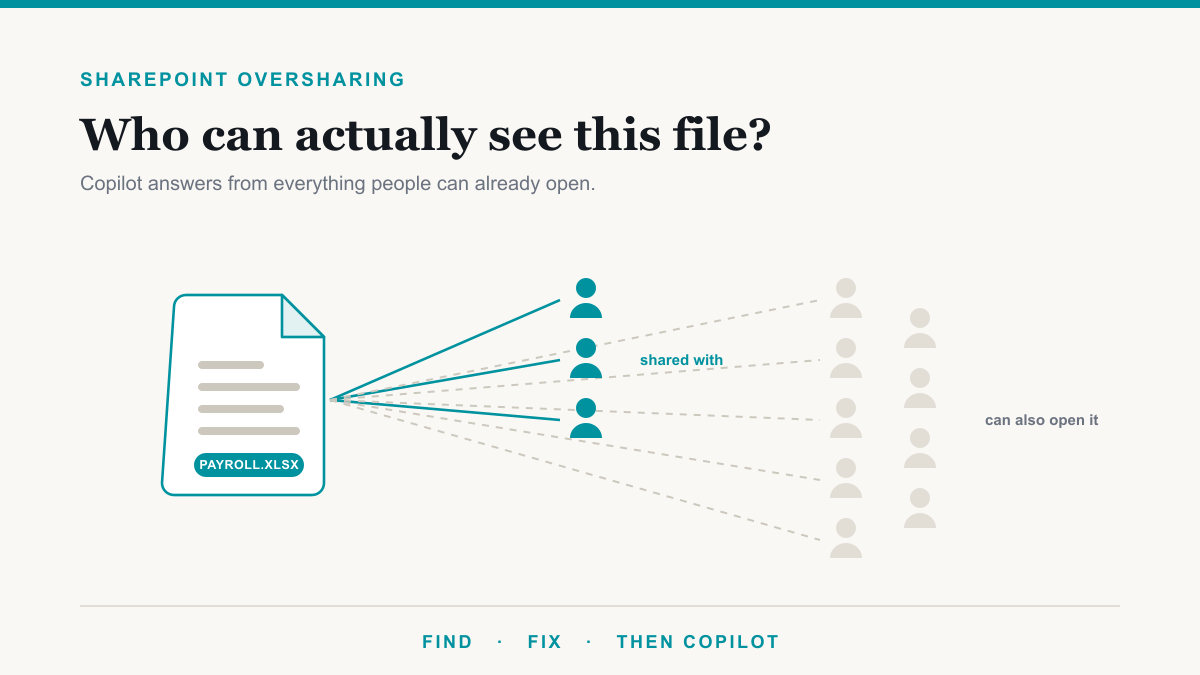
The catch, and it is a real one, is that Copilot is only as tight as those controls already are. Years of SharePoint oversharing mean a lot of people can already open far more than anyone intended. Copilot does not create that access. It makes it easy to find.
Where ChatGPT is genuinely better
Fairness matters here, because a one-sided comparison is easy to ignore. ChatGPT still wins some jobs outright.
- Model choice and raw assistant quality. For open-ended research, coding help, and long back-and-forth reasoning, many people still prefer ChatGPT. Copilot is built to work on your Word doc, mailbox, and meeting, not to be the most flexible chatbot on the internet.
- No Microsoft 365 seat required. ChatGPT Business is a workspace you can buy without an M365 plan. That helps shops that live in Google Workspace, or mixed environments, or a small team that only needs a chat tool.
- Browsing and custom GPTs. ChatGPT's web browsing and custom GPTs are a better fit when the work is "look this up and draft from the public web" rather than "summarize last week's email thread." Copilot's strength is the opposite: it already has the thread.
If your staff live in Gmail and Drive, Copilot is the wrong comparison. If they live in Outlook and SharePoint, ChatGPT will keep asking them to upload the file that Copilot could have opened itself.
The shadow AI problem
Your staff are probably already pasting company text into free ChatGPT. Blocking the site without offering a sanctioned tool does not stop that. It pushes it onto phones and home browsers, where you have even less visibility.
A workable policy is simple. Offer Copilot (or ChatGPT Business) for the work you actually want done in AI, say plainly that personal Free and Plus accounts are not for client or patient data, and then enforce that with the controls you already have, such as web filtering and DLP. People use the unsanctioned tool because it is useful. Give them a useful one that sits inside a boundary you can explain to an auditor.
Cost side by side
Prices below are list prices, verified August 21, 2026. Re-check both vendors before you buy, because both change packaging.
Microsoft 365 Copilot (from Microsoft's Copilot pricing page):
- Business Standard with Copilot: $23.50 per user per month on an annual commitment ($28.20 if billed monthly). Copilot is built into the plan, not a separate add-on.
- Business Premium with Copilot: $32.00 per user per month annual ($38.40 monthly-billed).
- Copilot Business add-on: $21 list, promotional $18 per user per month on an annual commitment through September 30, 2026, then the list price. Monthly-billed add-on is $25.20. Business-family Copilot has a 300-seat cap.
- Enterprise (E3/E5 path): Copilot remains a $30 per user per month add-on.
Because Business Standard lists at $14 and Business Premium at $22, the Copilot piece inside the July 2026 bundles is about $9.50 to $10 per user, not $21 or $30. That is the number most stale blog posts still miss.
ChatGPT (from OpenAI's business pricing page):
- ChatGPT Business: $20 per user per month billed annually, $25 billed monthly, 2-seat minimum.
- ChatGPT Enterprise: contact sales. OpenAI does not publish a list price. Do not budget from a blog's guess.
A 25-person Microsoft 365 shop comparing Copilot on Business Premium ($32 bundled) to ChatGPT Business ($20) is not comparing the same thing. Copilot includes the Microsoft 365 apps and the tenant grounding. ChatGPT Business is the chat workspace only. Add the two together if you plan to run both, and do not count personal Plus ($20 per person, no company controls) as a business plan.
How to decide
Use this rule. If the work is regulated, or the files already live in Microsoft 365, start with Copilot and fix permissions before you turn it on. If the work is general research outside your tenant, and you can keep it on ChatGPT Business or Enterprise, ChatGPT is a reasonable second tool. If people are on Free or Plus with client data in the prompt, that is the thing to stop first, whichever product you pick next.
A Copilot rollout is a permissions and deployment project, not a license purchase. The first concrete check is what Copilot would surface today. The Copilot Exposure List pulls the named files in one sensitive category that anyone in your company can already open. No score, no charge for qualified businesses. If you would rather walk through Copilot vs ChatGPT against your actual stack, Desert Lakes Solutions offers a no-pressure discovery call. Book a discovery call.
Frequently asked questions
Is Copilot safer than ChatGPT for business data?
Microsoft 365 Copilot keeps prompts and files inside your Microsoft 365 tenant and only uses what the signed-in person can already open. ChatGPT's handling depends on the plan: Free and Plus can train on chats unless you opt out, while Business and Enterprise do not train by default. How tight your Microsoft 365 permissions are still decides what Copilot can surface.
Does ChatGPT train on my business data?
On Free, Plus, and Pro personal plans, OpenAI can use conversations to improve models unless you turn that off in Data Controls. ChatGPT Business and ChatGPT Enterprise do not train on workspace data by default. The plan your staff actually use is the one that counts, which is why personal ChatGPT accounts at work are the usual leak.
Can Copilot see files an employee should not have access to?
No. Microsoft documents that Copilot only surfaces organizational data the signed-in user already has permission to view. It does not grant new access. If Copilot shows a file someone should not see, that person already had permission to open it, usually because of broad SharePoint sharing, not because Copilot bypassed security.
Can I run both Copilot and ChatGPT in the same company?
Yes. Many firms use Copilot inside Microsoft 365 for email, files, and meetings, and keep ChatGPT Business for work that lives outside that stack. The risk is mixing in personal Free or Plus accounts. If you run both, put ChatGPT on a Business workspace and keep company files out of personal chats.
Copilot vs ChatGPT: pick the boundary you can defend
Copilot vs ChatGPT is a data-control decision first. Copilot inherits your Microsoft 365 permissions, labels, DLP, and audit log. ChatGPT inherits the plan you paid for, and nothing else. Get that straight, then buy seats. Microsoft Copilot consulting is the permissions-and-rollout work inside Microsoft 365, which is why Copilot is the default when the files already live there. If you want help seeing what Copilot would find in your tenant before you spend, start with the exposure list or book a discovery call.