Microsoft Copilot Data Security: The Oversharing Problem Nobody Budgets For
Published August 25, 2026
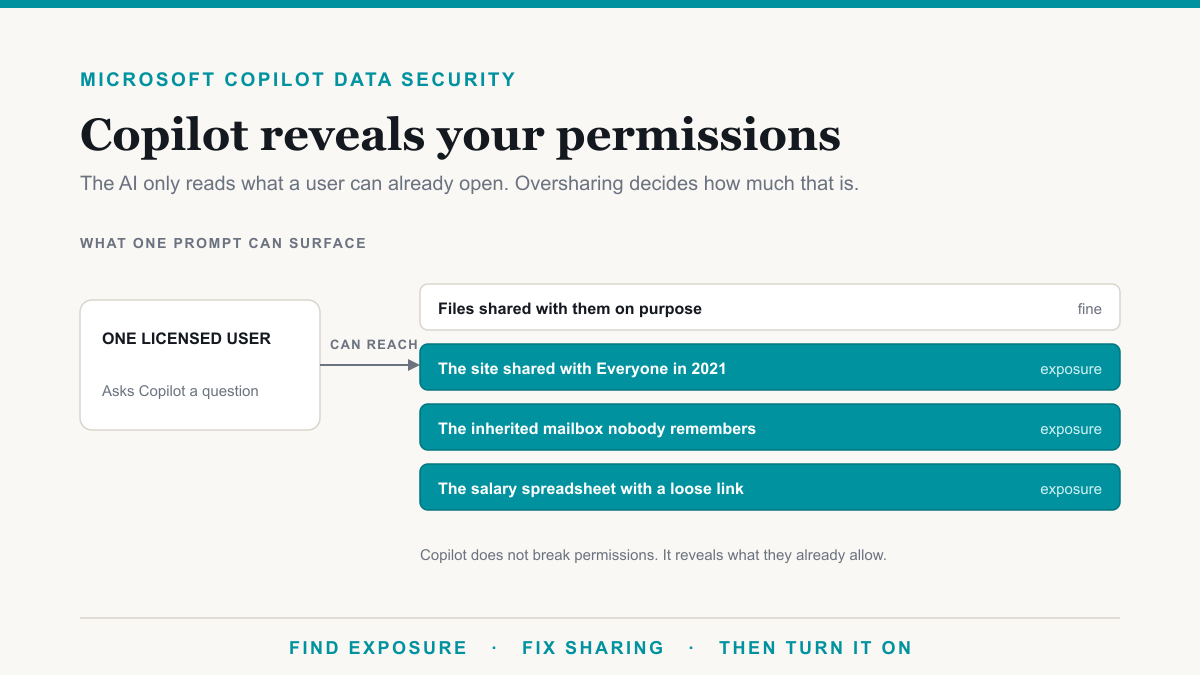
Microsoft Copilot data security is only as strong as your existing Microsoft 365 permissions: Copilot does not break those permissions, and it does not train on your tenant data, but it will surface anything a licensed user can already open, including files nobody realized were shared with the whole company. That is the oversharing problem, and it is what most "is Copilot safe" conversations are actually about. This guide is for owners and administrators who have heard Copilot leaks data and want the real story before they approve seats, including shops in the Phoenix metro that are comparing notes with peers who already turned it on.
Is Copilot safe for business data?
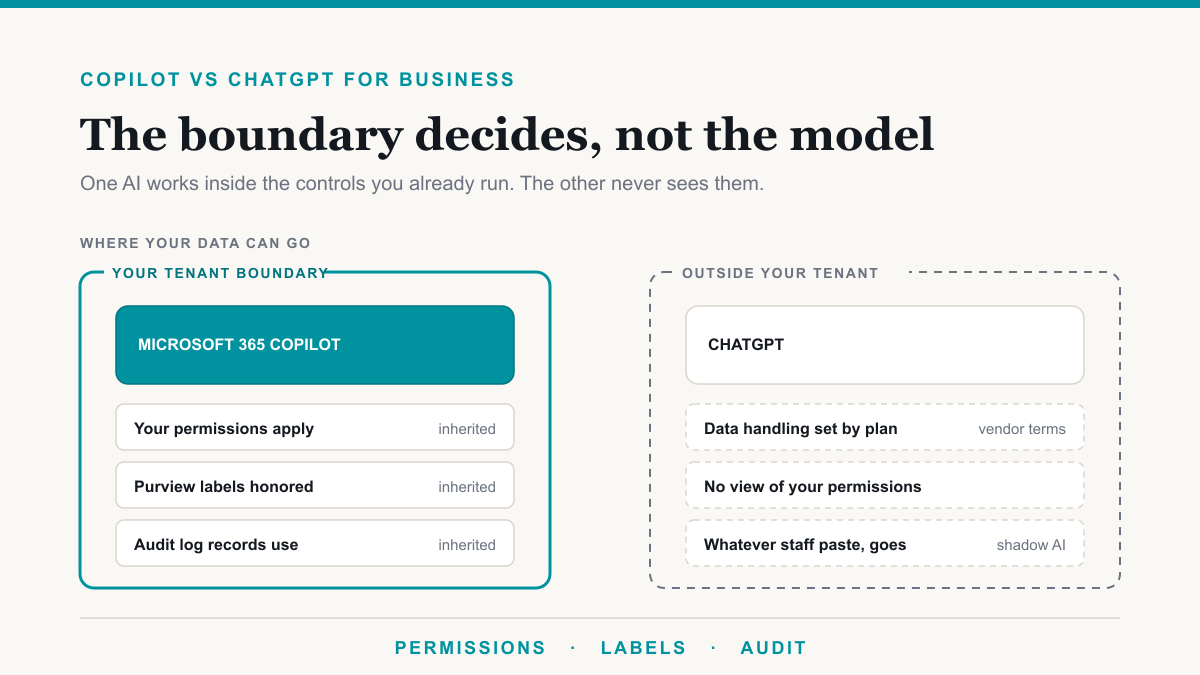
Safe, exactly to the extent your permissions, labels, and sharing defaults are right. Microsoft's Copilot privacy documentation is clear on the boundary: Copilot only surfaces organizational data the individual already has permission to view, and prompts, responses, and Graph data are not used to train foundation models. Encrypted files protected by Purview sensitivity labels honor the usage rights on that file. The incident people describe in the first week of a rollout is almost never "the model reached into a locked library." It is "the library was not locked."
What Copilot can and cannot reach
Inside your tenant, Copilot can use email, files, chats, and meetings the signed-in user can already open. Microsoft's architecture documentation says operating inside the Microsoft 365 service boundary does not grant Copilot tenant-wide visibility. Data access is always scoped to that user.
Copilot cannot:
- Open a file the user cannot open in SharePoint or OneDrive.
- See another tenant's data while the user is signed into yours.
- Train Microsoft's foundation models on your prompts and files, per Microsoft's privacy documentation cited above.
- Ignore a sensitivity label that encrypts the file and denies that user access.
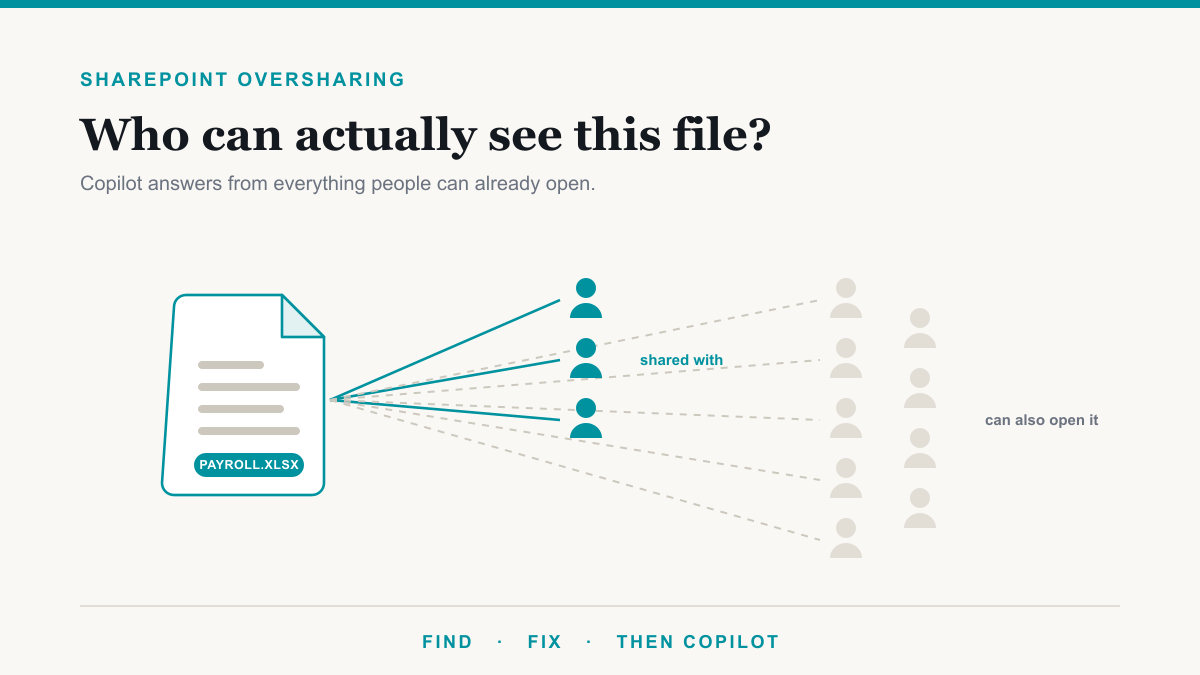
Copilot can, and will, search across every site, mailbox, and Team that person already belongs to. If "what the user can open" is half the company, Copilot's answers will look like a leak. The control is still the permission list. Our companion piece on SharePoint oversharing is the how-to for finding that list.
The oversharing problem
Oversharing is usually boring. Nobody holds a meeting to expose payroll. It accumulates:
- People in your organization links. Anyone at the company who finds the file can open it. Staff often hear "the people I emailed this to."
- Anyone links. No sign-in. Forwarded once, they keep working.
- Everyone except external users added to a site to fix one access ticket in 2021, never removed.
- The inherited mailbox or Teams file tab that still holds an old compensation workbook because moving it felt like extra work.
We see this in East Valley and Phoenix-metro tenants the same way it shows up everywhere else: a dental or medical practice, a law office, a CPA firm, all on Business Premium, all convinced sharing is "pretty locked down," all with an HR folder that search can already reach. Copilot does not create a Phoenix-specific risk. It creates a moment when the existing risk is impossible to shrug off.
The salary spreadsheet test
Before you buy a company-wide batch of seats, pick one question a nosy but authorized employee might ask: "What does the office manager earn?" or "Show me the buy-sell discussion" or "Summarize the patient-complaint folder." Have that person ask Copilot, or have us pull the file list without turning Copilot on yet.
If the answer cites a workbook that person should not have, you do not have a Copilot problem. You have a sharing problem that Copilot just graded for you. If the answer is "I don't have that," your permissions on that topic are doing their job. Run the same test on legal, HR, and finance before you celebrate.
The Copilot Exposure List is that test as a service: one category of sensitive data, the actual file names anyone in the company can open today, no charge for qualified businesses.
What to lock down first
Order of operations, and it is worth following even if you are eager to show a demo:
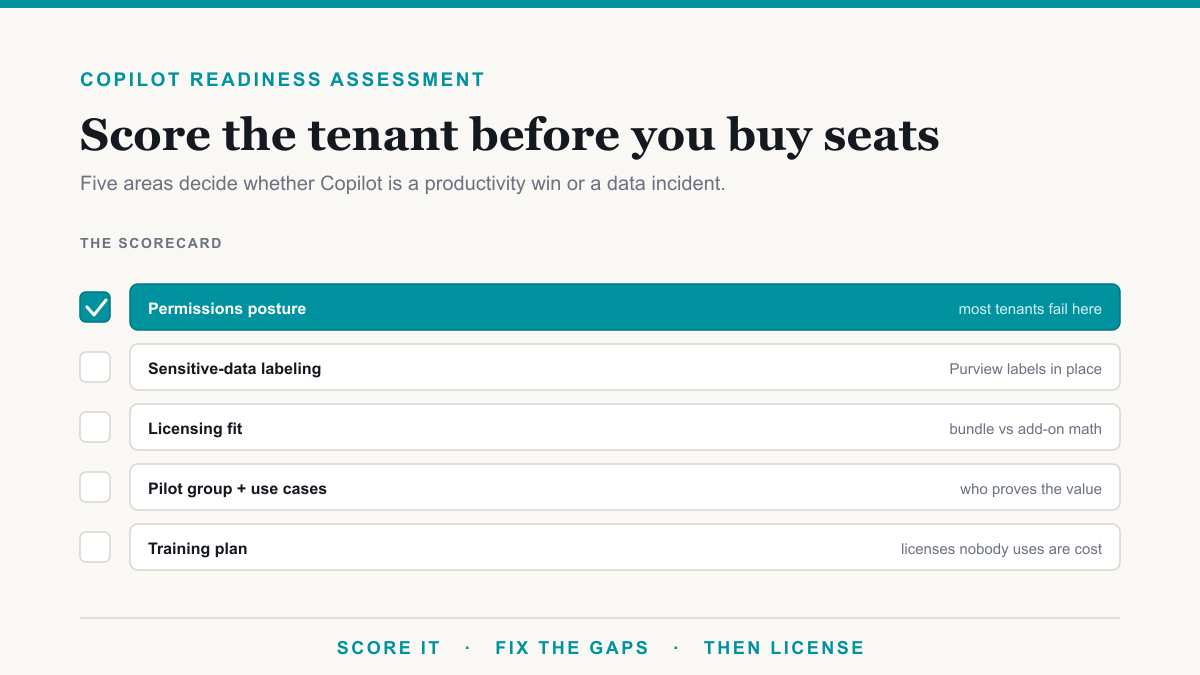
- Find exposure. Sharing reports, overshared sites, and the exposure list. Start with HR, finance, legal, and any site with patient or client files.
- Fix sharing links and membership. Change defaults going forward, then clean existing broad links on the sensitive sites. Do not flip every site in the tenant on a Friday.
- Labels. A short set of Purview sensitivity labels, applied to the files that must stay protected even if someone forwards them.
- DLP. Purview DLP for email and files you already have, plus a Copilot-specific DLP location if your licensing includes it, so Copilot can be blocked from processing labeled or matching content.
- Then license Copilot for a pilot group, not the whole directory. The deployment sequence is governance first on purpose.
What the controls cost
Manual sensitivity labels, DLP for Exchange, SharePoint, and OneDrive, and Audit (Standard) are already in Microsoft 365 Business Premium for most small firms. Automatic labeling, endpoint DLP, and the investigative extras generally need E5 or a Purview add-on. Audit logging is not on by default on the Business plans; someone has to enable it. None of that is a Copilot license. It is the floor Copilot sits on. Pay for Copilot after the floor is real.
Frequently asked questions
Does Microsoft Copilot train on my company data?
Microsoft documents that prompts, responses, and data accessed through Microsoft Graph are not used to train the foundation models that power Microsoft 365 Copilot. Your files stay in the Microsoft 365 service boundary. That is separate from the oversharing problem: Copilot can still show a colleague a file they already had permission to open.
Can Copilot access files a user does not have permission to open?
No. Copilot presents only data each person can access using the same controls as the rest of Microsoft 365. If someone cannot open a file in SharePoint, Copilot cannot summarize it for them. When Copilot 'leaks' a document, the leak is almost always an old sharing link or group membership, not a model bypassing ACLs.
Why does Copilot show documents people should not see?
Because those people can already open the documents. Organization-wide sharing links, 'Everyone except external users' on a site, and folders that inherited access from a Team created years ago are the usual causes. Copilot makes that existing access easy to query in plain English, so it shows up in the first week of a rollout.
What should be locked down before enabling Copilot?
Find the overshared files on HR, finance, and client sites, remove overly broad links and group memberships, apply sensitivity labels to the files that must stay protected, turn on DLP and audit, then license a pilot group. Do not start with company-wide Copilot and clean up after the first awkward answer.
Copilot data security is a permissions project
Microsoft Copilot data security holds when sharing is honest and labels are on the files that matter. The model is not the hole. The hole is years of convenient links. If you want the named files in one sensitive category before you switch Copilot on, start with The Copilot Exposure List. The Microsoft Copilot consulting we do starts there, then permissions, then seats. If you would like that review done with you, Desert Lakes Solutions offers a no-pressure discovery call. Book a discovery call, or see the Copilot rollout page.