PCI Compliance for a Doctor's Office: What to Submit
Published August 17, 2026
Proving PCI compliance for a doctor's office means having the right card-data controls running, documenting them, completing the Self-Assessment Questionnaire that matches how you take cards, and submitting a signed Attestation of Compliance plus any required scan or pentest reports to whoever asked: your payment processor, merchant bank, or EHR vendor. That packet is what keeps processing rates from jumping, stops monthly non-compliance fees, and keeps the front desk able to collect copays and balances. This guide is for practice owners and office managers who opened a questionnaire and want a plain list of what to do and what to send.
Why your processor or EHR is asking now
PCI DSS is the security rule set for anyone who stores, processes, or transmits payment card data, maintained by the PCI Security Standards Council. The current version is PCI DSS v4.0.1. You agreed to it when the practice signed up to accept cards. It is a contractual requirement from the card brands, enforced through your bank or processor, not a federal statute the way HIPAA is.
The ask usually arrives as the annual attestation from your merchant processor, a notice that non-compliance fees will start, or a request from an EHR or patient-portal vendor before they turn on online payments. HIPAA still applies to the chart. PCI applies to the card. For the health-record side, see IT and healthcare compliance.
How a doctor's office actually takes cards
Everything about your PCI workload comes down to how card data moves through the practice. Map it before you fill anything in. Typical paths in a medical office:
- Front-desk terminal. Copays and outstanding balances swiped or tapped on a standalone device.
- Patient portal or bill-pay page. The patient pays online. If they leave your site and pay on the processor's hosted page, your systems see very little card data. If the card fields sit on a page you host, your website is in the payment flow.
- Phone payments. Staff type a card into a virtual terminal on a practice PC, one transaction at a time.
- Cards on file. Storing numbers for recurring visits or payment plans. This is the heaviest scope, and most offices are better off using the processor's tokenized card-on-file feature instead of keeping numbers in the EHR, a spreadsheet, or email.
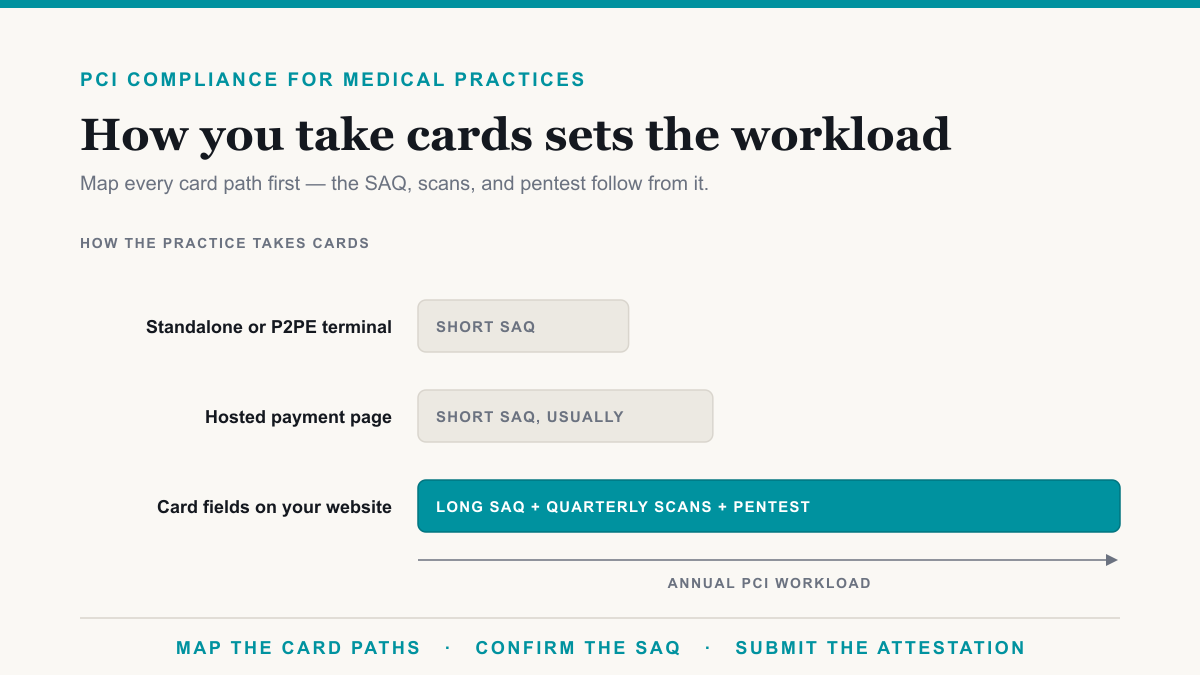
The less card data your own systems see, the shorter the questionnaire. A terminal on the same flat network as the EHR and imaging does the opposite: skip segmentation and more of the office falls into PCI scope than the front desk thinks. That layout is covered in on-prem server security for medical and dental practices. The Council's scoping and segmentation guidance is the source behind it.
Which SAQ a doctor's office usually needs
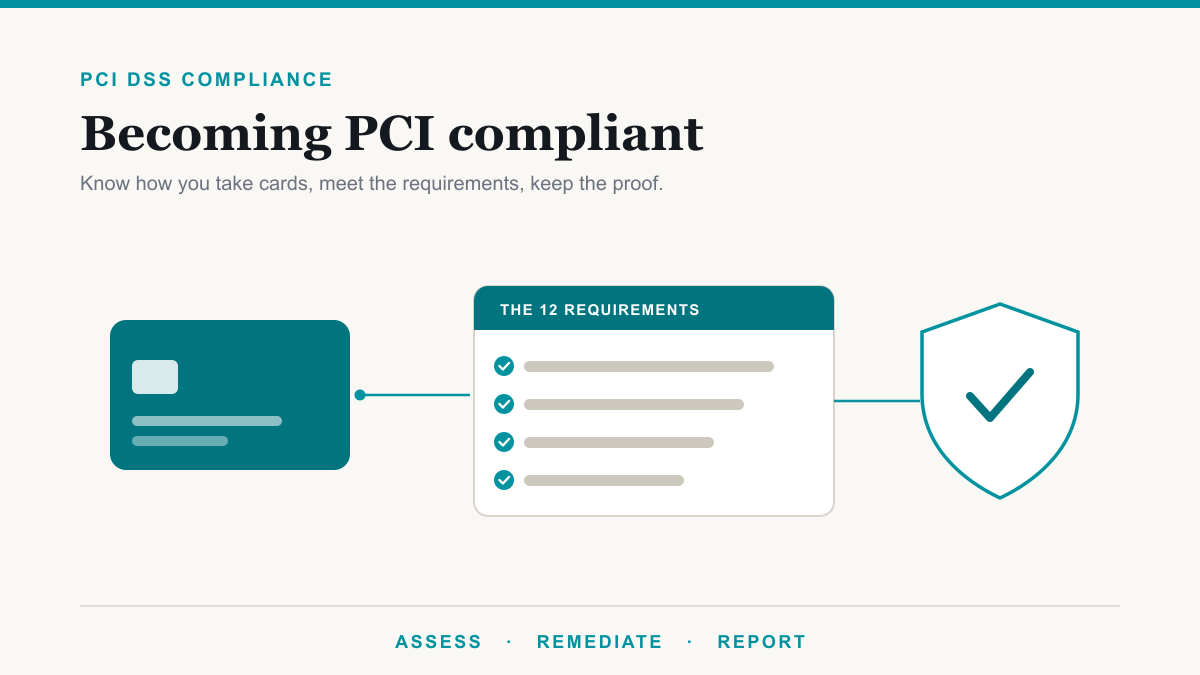
Most practices validate with a Self-Assessment Questionnaire, or SAQ. There is not one form. Each SAQ is the subset of the twelve PCI requirements that apply to how you take cards. A shorter SAQ means smaller scope, not a weaker standard. Your bank or processor has the final say, so confirm it before you fill in the wrong one. The Council lists the types in its Getting Started guide. For the general walkthrough, see how to become PCI compliant.
| If the practice takes cards this way | Your SAQ is usually | Proof burden |
|---|---|---|
| Standalone terminal only, no electronic card storage | B or B-IP | Short SAQ, usually no pentest |
| P2PE-validated terminal, no electronic storage | P2PE | Short SAQ |
| Patient pays on a hosted page the practice redirects to | A | Short SAQ, usually no pentest |
| Payment fields embedded on the practice website | A-EP | Longer SAQ, quarterly ASV scan, external pentest |
| Virtual terminal on a practice PC, one card at a time, nothing stored | C-VT | Moderate |
| Payment application on the network, no electronic storage | C | Moderate |
| Stored cards, custom checkout, or unclear scope | D | Full SAQ, scans, pentest |
The fork offices miss most often is SAQ A versus SAQ A-EP. Redirecting the patient to Stripe, PayPal, or the EHR vendor's hosted checkout is usually A. Putting those payment fields on a page you control, even if a provider tokenizes the number, is usually A-EP, and A-EP pulls in scanning and an external penetration test. B versus B-IP is the in-person version of the same idea: a terminal that dials out versus one that connects over IP.
The controls that have to be running
Every SAQ asks about some of the same twelve requirements. In a doctor's office that means a firewall with guest Wi-Fi kept off the payment and EHR network, no vendor default passwords, no card numbers stored in the EHR or email, TLS on any payment page, endpoint protection and patching on the PCs that touch payments, unique logins with MFA on remote access, physical control of the server closet, and logging of who used payment systems. Written policies have to back that up: access, passwords, incident response, acceptable use, physical security.
Two testing items depend on the SAQ. Quarterly scans by a PCI-approved scanning vendor apply when your questionnaire requires them. An annual penetration test is common on SAQ A-EP and D, and unusual for a terminal-only office. The SAQ-by-SAQ breakdown is in which merchants PCI requires a pentest for.
A lot of this is the same hygiene your cyber insurance application already asks for, and the same work that sits under security and compliance readiness. If those controls are running, you are partway to the packet. If they are not, put them in place before you guess through the form.
The proof package that proves PCI compliance
Processors and EHR vendors want a dated packet, kept current, not rebuilt the week it is due.
Always include:
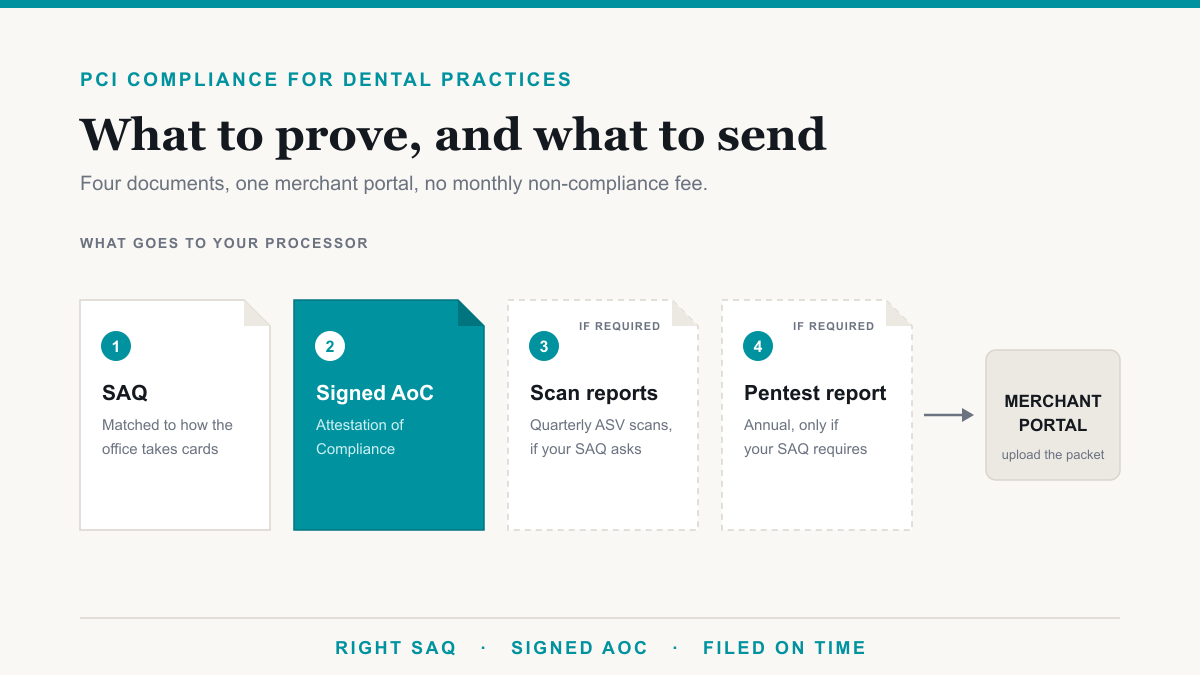
- The completed Self-Assessment Questionnaire for the SAQ type your bank confirmed.
- A signed Attestation of Compliance (AOC).
- Written security policies covering access, MFA, incident response, acceptable use, and physical security.
- Evidence the controls are operating: patch records, MFA enabled on the accounts that matter, firewall configuration, and a recent access review.
Include when your SAQ requires them:
- Passing quarterly ASV vulnerability scan reports.
- A penetration test report dated within twelve months, with critical and high findings closed or in a dated remediation plan.
- Segmentation evidence if you are claiming reduced scope: a network diagram and the firewall rules that keep the card environment apart from the rest of the practice.
Often requested alongside the packet:
- A PCI compliance letter or AOC from your terminal or processor vendor.
- The P2PE device listing, if you use P2PE-validated terminals.
How to submit it to your processor or EHR vendor
- Confirm who is asking. The merchant statement names the bank, processor, or ISO. An EHR vendor may send a separate form. Treat them as two inboxes if both ask.
- Ask which SAQ they expect. Do not pick the shortest form because it looks easier.
- Complete the SAQ against the environment you actually have, then sign the AOC. A mismatched SAQ is worse than a longer one you can support.
- Upload SAQ plus AOC through the merchant portal. Attach scan and pentest reports if they apply.
- If the EHR sent its own questionnaire, answer from the completed SAQ. If you are unsure whether payment fields live on your page or theirs, check with the vendor first.
- Keep a copy and calendar the annual renewal. The first year is the slow one.
What skipping it costs
Read the merchant agreement. Most processors charge a recurring non-compliance fee until the attestation is in, and some raise your rate in the meantime. In a worst case they suspend card acceptance, which stops copay collection at the desk. After a card-data incident, the card brands define penalties and your bank enforces them through that contract. Completing the packet is cheaper than fees, a rate hike, lost card acceptance, or liability if card data is stolen while you were out of compliance.
Frequently asked questions
Do medical practices need PCI compliance if they take cards?
Yes. PCI DSS applies to any doctor's office that stores, processes, or transmits payment card data, including copays at the front desk and balances collected through a patient portal. Transaction volume does not exempt you. A small office with a standalone terminal usually has a shorter questionnaire, but you still complete it and submit it to your processor each year.
Is PCI the same as HIPAA?
No. HIPAA protects patient health information. PCI DSS protects payment card data. A doctor's office often handles both on the same network, so firewalls, access control, and logging do double duty, but the paperwork is separate. Completing a HIPAA risk analysis does not replace the SAQ and attestation your processor asks for.
What's the difference between PCI SAQs for a doctor's office?
Every SAQ is a subset of the same twelve PCI requirements. The difference is scope: a standalone terminal or a hosted payment page is a short form, while payment fields on your own website or stored cards pull in more questions, quarterly scans, and sometimes a penetration test. Your bank or processor confirms which SAQ applies.
Do we need a penetration test for PCI?
Only if your SAQ requires it. Offices that take cards on a standalone terminal, or send patients to a fully hosted payment page, usually do not. If payment fields sit on your own website, or you store card data, an annual external penetration test is commonly required. Confirm the SAQ type before you schedule one.
What documents do we submit to our payment processor?
Most processors want a completed Self-Assessment Questionnaire and a signed Attestation of Compliance. If your SAQ requires them, attach passing quarterly scan reports and a current penetration test report. Keep copies of written security policies and any PCI letters from your terminal or EHR vendor. Upload the packet through the merchant portal your processor names.
What happens if we miss the PCI deadline?
Your processor can add a monthly non-compliance fee, raise processing rates, or, in a worst case, suspend card acceptance until the attestation is in. After a card-data incident, missing compliance also leaves more liability on the practice. Completing the SAQ on time is almost always cheaper than any of those outcomes.
Getting PCI compliance for a doctor's office without the scramble
PCI compliance for a doctor's office comes down to mapping how you take cards, running the controls that apply, keeping policies and evidence current, and submitting the SAQ and AOC before the processor's deadline. Dentists face the same packet with different software; see PCI compliance for dentists. If you want this mapped for your practice, Desert Lakes Solutions offers a no-pressure discovery call to walk the card flow, confirm the SAQ, and lay out the proof package. We do medical practice IT alongside the compliance work. Book a discovery call and we will give you the straight version.