Managing Microsoft 365 Licenses for Healthcare Facilities
Published February 7, 2024, updated July 18, 2026
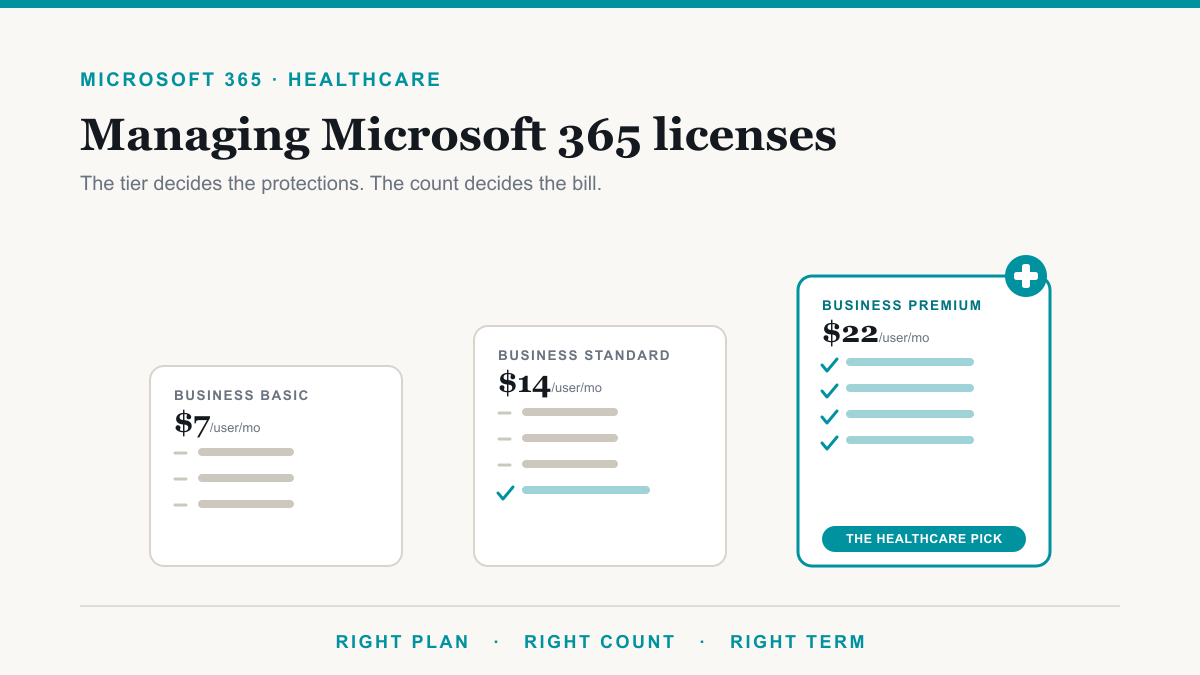
Managing Microsoft 365 licenses for healthcare facilities matters because the license tier you choose decides which patient-data protections you actually have, and because unmanaged seats quietly waste money month after month. For most practices under 300 staff, the practical answer is Microsoft 365 Business Premium at $22 per user per month, billed annually, kept honest with a quarterly license cleanup. This guide is for the owners and administrators of medical and dental practices who want the licensing question settled in plain English: what the plans cost in 2026, how the HIPAA paperwork works, and where facilities routinely overpay.
Choosing Microsoft 365 licenses for healthcare facilities
For a practice with fewer than 300 staff, the realistic menu is short. One note before the numbers: Microsoft's July 1, 2026 update added Copilot-bundled versions of the Business plans to its pricing pages, so you may now see two prices for what looks like the same plan. The table below is the standalone plans, billed annually, as listed on Microsoft's product pages.
| Plan | What it adds | Per user, per month (annual billing) |
|---|---|---|
| Microsoft 365 Business Basic | Web-only email, Teams, and file storage | $7.00 |
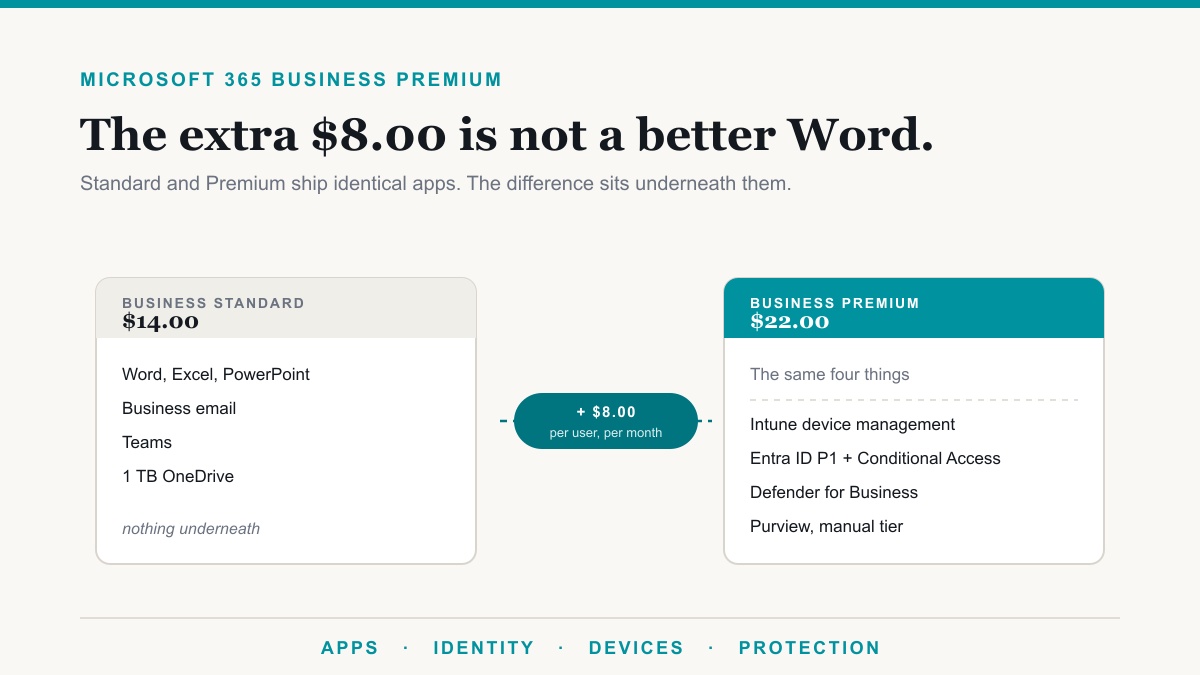
| Microsoft 365 Business Standard | The desktop Office apps | $14.00 |
| Microsoft 365 Business Premium | The security and management layer: device management, conditional access, endpoint protection, data loss prevention | $22.00 |
| Microsoft 365 E3 | The enterprise baseline for larger organizations | $39.00 |
| Microsoft 365 E5 | Advanced security, compliance, and analytics | $60.00 |
The Business plans are designed for organizations of up to 300 users, and Microsoft caps the total across the Business family, so a growing group near that line should plan its move to the enterprise plans early. For nearly every independent practice, though, the decision comes down to Standard versus Premium, and the difference between them is the entire security and management layer. That layer is why Business Premium is the healthcare anchor, as the next section explains.
HIPAA, the BAA, and what your license actually decides
The paperwork half of this question is simpler than most people expect. Microsoft offers a HIPAA Business Associate Agreement, and it is included by default through Microsoft's data protection terms for any customer that is a covered entity or business associate. You do not negotiate a separate contract. The services a practice lives in every day, Exchange Online, SharePoint, OneDrive, and Teams, are on Microsoft's list of in-scope services, and the list now includes Microsoft 365 Copilot as well. Microsoft is equally clear about the limit: having a BAA supports your compliance, but using Microsoft services does not on its own make your facility HIPAA compliant.
That is where the license tier stops being a billing detail and starts being a security decision, because the technical safeguards live in specific plans. Microsoft 365 Business Premium includes the pieces a practice actually leans on:
- Microsoft Intune, which manages and protects the laptops, tablets, and phones that touch patient data, including wiping a lost device.
- Microsoft Entra ID P1, which powers conditional access, the rules that decide who can sign in, from where, and with what proof.
- Microsoft Defender for Business, endpoint protection that watches the computers for signs of an attack.
- Microsoft Defender for Office 365 Plan 1, which screens email for phishing and malicious attachments.
- Microsoft Purview data loss prevention for email and files, plus manually applied sensitivity labels, so records with patient information can be caught before they leave the practice.
Business Standard and Basic include essentially none of that management layer. A practice running on Standard is not out of compliance by definition, but it is doing without the tools that make the HIPAA security expectations practical to meet. If the Purview names in that list are new to you, our plain-English overview of what Microsoft Purview is maps the whole toolbox.
What Business Premium covers, and what genuinely needs more
Practices are sometimes told they need Microsoft 365 E5 for compliance, and for most of them that is not true. The capabilities that genuinely sit above Business Premium are the advanced Purview tools: automatic sensitivity labeling, which tags sensitive files without staff doing it by hand, insider risk management, which flags unusual data activity like a departing employee downloading records, and premium eDiscovery, the deeper search and legal-hold tooling for litigation, among others. Those historically required E5 licensing, and Microsoft now also sells Purview and security step-up add-ons that attach directly to Business Premium, so a small organization can buy one specific capability without replatforming to enterprise plans. The sensible sequence is to start with what Business Premium already includes, turn it on properly, and add the step-ups only when a real obligation, an audit finding, a cyber insurance question, or a records requirement, calls for one.
Where healthcare facilities overpay
The first leak is billing frequency. Paying month to month costs about 20 percent more than an annual commitment: Business Premium lists at $22.00 per user per month billed annually against $26.40 month to month. Monthly billing earns its premium only when headcount is genuinely uncertain, such as a seasonal clinic or a practice mid-acquisition. A stable practice is better off on annual terms, with perhaps a small buffer of monthly seats for growth. The renewal mechanics, including the short window you get to make changes, are covered in our guide to Microsoft licensing renewals.
The second leak is departed staff. Healthcare runs on turnover, front desk especially, and Microsoft does not stop billing when someone leaves. Blocking sign-in or even deleting the account does not remove the license; that is a separate step, and until someone takes it, the seat keeps costing money. Microsoft's own offboarding guidance spells out the sequence, and it is worth knowing that most of a removed user's data is held for 30 days before permanent deletion, so any files or mail worth keeping should be reassigned promptly. A simple quarterly reconciliation, comparing the license list against the actual roster, is one of the highest-return habits a practice office can adopt.
The third leak runs the opposite direction: cutting the security tier to save money. It can be tempting to put clinical staff on Premium and everyone else on Basic, but in a practice, nearly everyone touches patient information, the front desk arguably most of all. Downgrading the people who book appointments and handle records saves a few dollars a seat and removes the protections exactly where phishing pressure is highest. Right-size the count, not the safeguards.
A note on Copilot in a healthcare setting
Microsoft now sells the Microsoft 365 Copilot Business add-on for the Business plans, at a promotional $18 per user per month on annual billing through September 30, 2026, with a list price of $21, for up to 300 users. Two things are worth knowing before a practice turns it on. First, Microsoft lists Microsoft 365 Copilot among the services covered by its HIPAA BAA, so the paperwork side has an answer. Second, an AI assistant can read everything the signed-in person can reach, which makes years of quietly accumulated file permissions suddenly matter. Before rolling Copilot out across a practice, it is worth reading our guide to securing Microsoft 365 Copilot with Purview.
Frequently asked questions
Which Microsoft 365 license is best for a healthcare facility?
For most practices under 300 staff, Microsoft 365 Business Premium at $22 per user per month is the right anchor. It is the least expensive plan that includes device management, conditional access, endpoint protection, and data loss prevention, which are the safeguards HIPAA expects a practice to have in place.
Is Microsoft 365 HIPAA compliant?
Microsoft 365 can be used in a HIPAA-compliant way. Microsoft includes a Business Associate Agreement by default for covered entities, and services like Exchange Online, Teams, and OneDrive are in scope. Microsoft is clear, though, that the BAA alone does not make your facility compliant. Configuration and process still matter.
Does Microsoft 365 cost more if you pay monthly?
Yes, about 20 percent more. Business Premium, for example, lists at $22.00 per user per month with annual billing and $26.40 month to month. Monthly billing only earns that premium when headcount is genuinely uncertain, so most practices are better off annual for stable staff.
What happens to a former employee's Microsoft 365 license?
Nothing, automatically, and that is the problem. Blocking or deleting the account does not stop the license billing; you have to remove or reassign the license as a separate step. Microsoft holds most of a departed user's data for 30 days, so reassign anything you need promptly.
Can a healthcare organization with more than 300 employees use Business plans?
No. The Business plans are designed for organizations of up to 300 users, and Microsoft caps the total across the Business family. Larger organizations move to the enterprise plans, Microsoft 365 E3 at $39 or E5 at $60 per user per month. Practices near the cap should plan that move before they hit it.
Do we need Microsoft 365 E5 for HIPAA?
No license makes you HIPAA compliant by itself, and most practices do not need E5. Business Premium covers the core safeguards, and Microsoft now sells Purview and security add-ons on top of it for specific needs like automatic labeling or insider risk. E5 mostly makes sense at enterprise scale.
Getting Microsoft 365 licenses right for your healthcare facility
Managing Microsoft 365 licenses for healthcare facilities comes down to three habits: anchor on the plan that carries the safeguards patient data requires, keep the license count honest as staff come and go, and pay annually unless headcount genuinely will not sit still. None of it is complicated, but all of it is easy to let slide, and the cost of sliding shows up as either wasted spend or missing protection. If you would like a second set of eyes on what your practice is paying for and what is actually turned on, Desert Lakes Solutions offers a no-pressure discovery call to walk through your current licensing and where the easy wins are. Book a discovery call whenever you are ready.