What Is Microsoft Purview?
Published June 10, 2026, updated July 26, 2026

Microsoft Purview is Microsoft's family of tools, built into Microsoft 365, for finding, protecting, classifying, and keeping track of your sensitive information. If your organization runs on Microsoft 365, you are likely already paying for some of it and just have not heard it called by name. This guide is for the owners, operators, and IT and compliance leads at organizations that handle data they cannot afford to mishandle. It explains what Microsoft Purview is in plain language, what it actually does, and why it matters, without burying you in acronyms.
So what is Microsoft Purview, really?
Microsoft Purview is Microsoft's family of tools for data governance, security, and compliance. In everyday terms, it is the part of Microsoft 365 that helps you answer four questions about your business information: where is our sensitive data, who can see it, how do we stop it from leaking, and can we prove we are handling it the right way. It lives in its own area of Microsoft 365 called the Purview portal, separate from the day-to-day apps your team already uses like Outlook, Teams, and SharePoint.
If the name is new to you, that is partly because it is fairly new itself. Microsoft brought several older compliance and data tools together under the single Purview brand a few years ago, so if you remember something called the Microsoft 365 compliance center, Purview is where that lives now. The short version: it is one place to govern and protect your data, instead of a scattered handful of settings. Microsoft's own overview of Purview lays out the complete toolset if you want the full map.
What Microsoft Purview actually does
Purview is really a toolbox, and most organizations only need a few of the tools at first. Here are the main ones in plain language:
- Sensitivity labels (Information Protection). You can tag a document or email as, say, Confidential or Patient Data, and that label can quietly enforce rules: encrypting the file, adding a watermark, or stopping it from being shared outside the company. The protection travels with the file, even if it leaves your network.
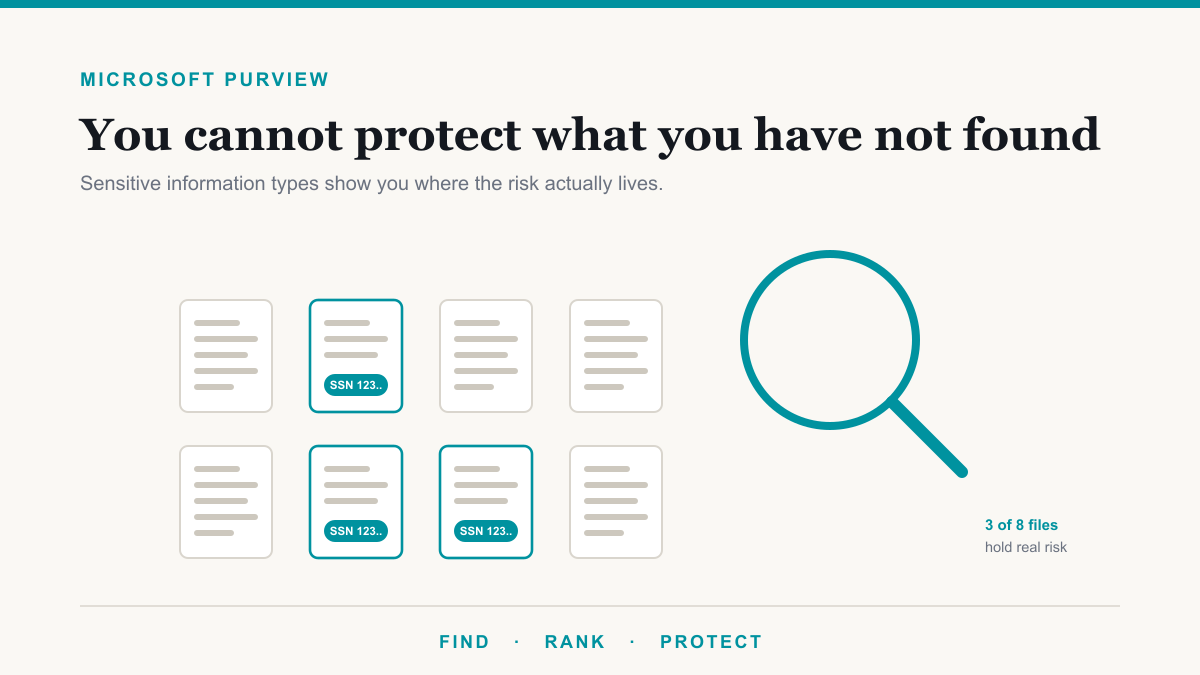
- Data Loss Prevention, or DLP. This watches for sensitive information, like credit card numbers, Social Security numbers, or health records, and steps in before it leaves through email, Teams, or a cloud folder. We cover this one in depth in our guide to data loss prevention with Microsoft Purview.
- Retention and records management. Rules that keep the things you are required to keep for as long as you are required to keep them, and delete the things you should not be hoarding. Useful for both legal requirements and simple housekeeping. We cover this one in depth in our guide to Microsoft Purview retention and data lifecycle.
- eDiscovery and audit. If a lawyer, regulator, or insurer ever asks what happened to a particular file or account, these tools let you search across your data and pull an audit trail of who did what, and when. We cover the audit log, including the default it ships with on Business plans, in our guide to Microsoft Purview Audit.
- Insider risk and communication compliance. Higher-end tools that watch for risky data activity or policy violations, more relevant to larger or heavily regulated organizations. We cover the first in depth in our guide to Microsoft Purview Insider Risk Management.
- Compliance Manager. A dashboard that scores how you are doing against a framework like HIPAA or NIST and gives you a prioritized to-do list to improve. It turns "are we compliant?" into a checklist you can actually work through.
- AI governance (DSPM for AI). Newer Purview tooling that watches how AI assistants like Microsoft 365 Copilot interact with your sensitive data, so an AI rollout does not quietly become a data leak. We cover this one in depth in our guide to securing Microsoft 365 Copilot with Purview. If Copilot is on your roadmap, this and sensitivity labels are part of doing it safely.
There is also a heavier data-governance side of Purview aimed at companies with large databases and data warehouses. Most organizations new to Purview start with sensitivity labels, DLP, and Compliance Manager, and grow into the rest as their obligations expand.
Why a regulated or mid-market organization should care
It is fair to ask whether this is enterprise overkill. For any organization that handles regulated or sensitive data, it is not, and here is the practical reason. The data that gets a company in trouble, patient records, client financials, card numbers, contracts, is the same data your team emails and shares dozens of times a day. Most leaks are not dramatic hacks. They are an honest mistake: the wrong attachment, a file dropped into a personal drive to finish at home, an account that kept access long after someone left.
Purview is how you put quiet guardrails around that everyday activity. If you are working toward HIPAA, PCI, SOC 2, or CMMC, or your cyber insurance renewal is asking pointed questions about how you protect and monitor data, Purview is often where those answers come from. It pairs naturally with the rest of your security stack and with the framework work on our compliance page.
Do you need extra licensing for Purview?
Some Purview capabilities are included with common plans like Microsoft 365 Business Premium, while the more advanced features generally require a higher tier such as E5 or an add-on license. The honest answer is that it depends on which tools you actually need, and it is easy to either overpay for licensing you will not use or assume you have features you do not. The goal is to match the licensing to the handful of protections your organization genuinely needs first, then expand. Our guide to Microsoft Purview licensing lays out feature by feature what Business Premium and E3 already include, what needs E5, and the Business Premium add-on that closes the gap for organizations under 300 seats.
Where most organizations start with Microsoft Purview
You do not turn on everything at once. A sensible first pass is usually three moves: create a small set of sensitivity labels your team will actually use, put one basic DLP policy in place to catch your most sensitive data type, and open Compliance Manager to see your starting score and the top improvements. That alone closes a surprising number of gaps, and it gives you a foundation to build on as your needs grow. The mistake to avoid is the opposite extreme, switching on dozens of strict rules overnight and burying your team in pop-ups, which usually ends with everything being turned back off.
A 2026 note on Purview roles and access
Through 2026, Microsoft has been consolidating Purview administration into the Purview portal itself, under Settings and then Roles and scopes, and migrating older role assignments into that model. Two practical things are worth checking after that shift. First, review who actually holds Purview role groups today, because access tends to accumulate and the people who set things up years ago may not need it now. Second, know that broad Microsoft Entra roles, such as Compliance Administrator granted at the directory level, take precedence over more narrowly scoped Purview assignments, so a directory-level role can quietly grant wider access than you intended. Microsoft documents the details on its Purview permissions page. The principle to apply is least privilege: the fewer people who can reach your most sensitive data and audit trails, the better your position with auditors and insurers alike.
Frequently asked questions
What is Microsoft Purview in simple terms?
Microsoft Purview is the set of tools inside Microsoft 365 that help you find, classify, protect, and govern your business data, and prove you are handling it responsibly. In practice it is how you label sensitive files, stop them from leaking, keep records for the right length of time, and show an auditor what happened.
Is Microsoft Purview included in Microsoft 365?
Some Purview features come with plans like Microsoft 365 Business Premium, while the more advanced capabilities usually require a higher tier such as E5 or an add-on license. Many organizations already own more Purview than they realize and simply have not turned it on yet.
What is the difference between Microsoft Purview and Microsoft Defender?
Defender is about stopping threats, like malware, phishing, and attackers. Purview is about your data: classifying it, preventing leaks, retaining records, and proving compliance. They overlap and work well together, but Defender guards the doors while Purview governs what is inside.
Who actually needs Microsoft Purview?
Organizations that handle regulated or sensitive data, especially in healthcare, legal, finance, and government contracting. If you face HIPAA, PCI, SOC 2, or CMMC requirements, or your cyber insurer is asking how you protect data, Purview is often where those protections live. It is built for organizations with that obligation and the Microsoft 365 licensing to match.
Is Microsoft Purview the same as the old compliance center?
Largely, yes. Microsoft combined its older compliance and data-protection tools, including what was called the Microsoft 365 compliance center, under the single Purview brand. If you used those tools before, you will find them in the Purview portal now.
How do I get started with Microsoft Purview?
A practical first step is a few sensitivity labels, one basic data loss prevention policy for your most sensitive data, and a look at your Compliance Manager score. Roll it out gradually so your team is not overwhelmed, then expand as needed.
Getting started with Microsoft Purview
Microsoft Purview is one of those tools that quietly does a lot once it is set up thoughtfully, and causes friction when it is switched on carelessly. The win is real protection for the data that matters, set up at a pace your team can absorb. If you would like help figuring out what you already own, what is worth turning on first, and how it maps to the compliance or insurance requirements you are facing, Desert Lakes Solutions is glad to walk through it with you on a no-pressure call. You can get in touch here whenever you are ready. And if you want a concrete starting point instead of a conversation, The Copilot Exposure List pulls the actual list of overexposed files in one category of your sensitive data, at no charge for qualified businesses.