Microsoft Purview Audit: The Log That Answers Who Did What
Published August 3, 2026
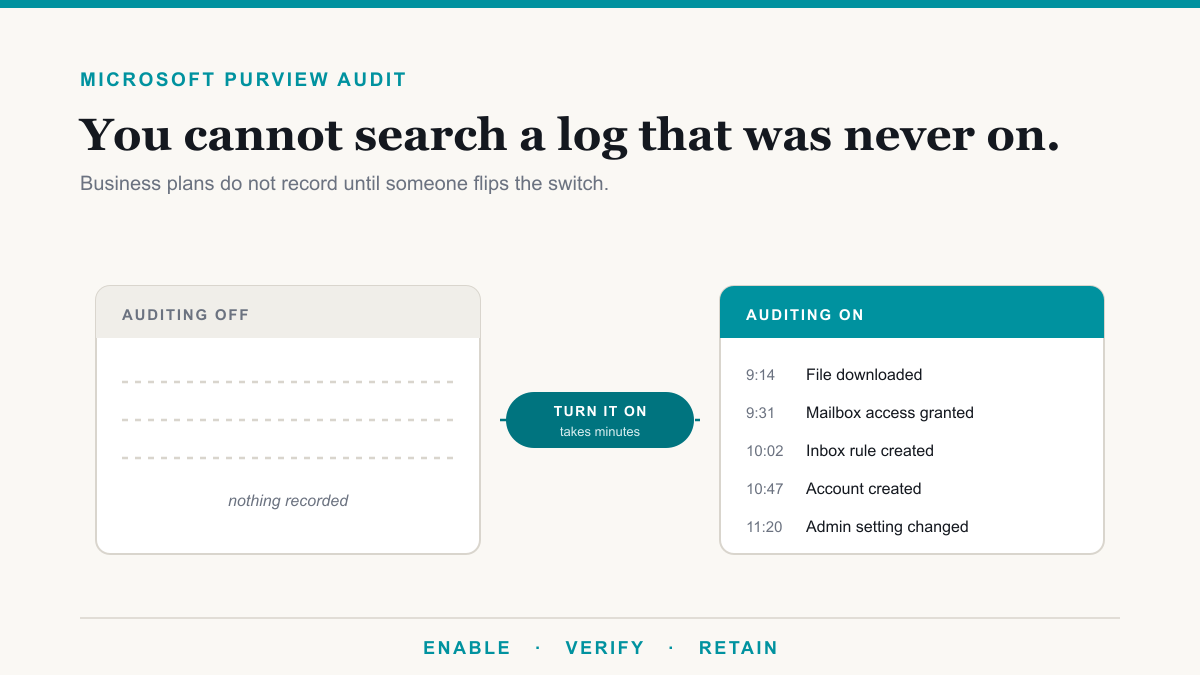
Microsoft Purview Audit is the log inside Microsoft 365 that records who did what across your email, files, and accounts, and on the Business plans it is not turned on by default. That one detail carries most of the weight in this post. When something goes wrong, a suspicious sign-in, a file that ended up where it should not be, a question from an insurer or an auditor, the audit log is the first place anyone looks. A log that was never switched on has nothing in it to search. This guide is for the owners and administrators of medical, dental, legal, and financial organizations who want to know what the audit log covers, how to confirm it is on, and when the premium tier is worth paying for.
Audit is one piece of the broader Purview toolbox. If the wider picture is new to you, our plain-English overview of what Microsoft Purview is covers where auditing fits alongside labeling, retention, and data loss prevention.
Free Microsoft 365 tenant check. We will look at your Defender, Purview, and license state, tell you what is switched off or paid for and unused, and send it in writing. No charge and no sales call required to get the findings. Request the check.
What the Microsoft 365 audit log actually records
Once auditing is on, Microsoft 365 keeps a unified audit log: a single searchable record of user and admin activity across Exchange, SharePoint, OneDrive, Teams, Entra ID, and dozens of other services. Microsoft's auditing overview describes thousands of searchable event types, but the ones that matter in a real investigation are recognizable business questions:
- Who opened or downloaded that file in SharePoint or OneDrive, and when.
- Who was given access to a mailbox, and who granted it.
- When a forwarding or inbox rule appeared on an account, a classic sign of a compromised mailbox.
- When accounts were created, deleted, or had passwords reset, and by whom.
- When an administrator changed a setting, including turning auditing itself on or off.
Each record carries the user, the activity, the date and time, and supporting detail such as the IP address involved. On the standard tier those records are kept for 180 days, which means you can answer questions about roughly the last six months. That window matters, and we will come back to it.
The catch: auditing is not on by default for Business plans
Microsoft's documentation opens by saying audit logging is on by default for Microsoft 365 organizations, and for the enterprise plans that is true. The fine print is where small organizations get caught. Microsoft's own guidance on turning auditing on or off states that auditing is not enabled by default for the small and medium business licenses, naming Microsoft 365 Business Basic, Business Standard, and Business Premium specifically, and that in those cases you must enable it manually.
The assumption travels easily because most security advice is written for enterprise tenants, where the default is on. A practice or firm on Business Premium can be doing many things right, patched machines, multifactor authentication, sensible backups, and still have an empty audit log, simply because nobody ever flipped the switch. There is no error message and no warning. The gap only shows up on the day someone needs to search the log and finds there is nothing in it.
How to enable audit logging in Microsoft 365
Turning it on takes a few minutes and does not cost anything on the plans that include it. An administrator does the following:
- Sign in to the Microsoft Purview portal at purview.microsoft.com.
- Open the Audit solution.
- If auditing is off, a banner offers to start recording user and admin activity. Select it. If there is no banner, auditing is already on and you are done.
Microsoft notes that enabling can take up to 60 minutes to take effect, and that events can take a few hours to become searchable after that. For a definitive check, your IT team can connect to Exchange Online PowerShell and run Get-AdminAuditLogConfig | Format-List UnifiedAuditLogIngestionEnabled. A value of True means recording is on. Doing the check requires the right admin role, so if an outside team manages your Microsoft 365, this is a one-line request to send them today.
Audit (Standard) vs Audit (Premium)
Auditing comes in two tiers, and the split follows the same pattern as the rest of Microsoft Purview licensing: the everyday capability is included in the plan you already pay for, and the investigative depth sits a tier up.
| Capability | Audit (Standard) | Audit (Premium) |
|---|---|---|
| How long records are kept | 180 days | One year for Entra ID, Exchange, SharePoint, and OneDrive; up to 10 years with an add-on license |
| Custom retention policies for audit records | Not included | Included |
| Intelligent insights, such as which mail items were opened | Not included | Included |
| Bandwidth for exporting logs to other tools | Baseline | Roughly double |
| Comes with | Business plans and E3, once turned on | E5, or a Purview add-on |
For most small organizations, Audit (Standard) is enough once it is actually recording. The premium tier earns its keep in two situations: when your obligations require looking back further than six months, and when an investigation needs the finer detail, such as exactly which mail items an attacker opened during a compromise. If that sounds like your situation, the add-on route is considerably cheaper than moving everyone to E5, and our licensing guide walks through the options.
Why auditors and insurers ask about the audit log
For healthcare organizations this is not optional housekeeping. The HIPAA Security Rule's technical safeguards include audit controls: covered entities must implement mechanisms that record and examine activity in systems containing electronic protected health information, as laid out in the HHS summary of the Security Rule. For a practice running on Microsoft 365, the unified audit log is the natural mechanism for the recording half of that requirement, and it is what you would hand an investigator during a breach assessment. Our guide to making Microsoft 365 HIPAA compliant covers where auditing fits in the larger picture.
Cyber insurance points the same direction. Applications increasingly ask about logging and monitoring, and after an incident the forensics team an insurer sends will ask for logs before almost anything else. An empty audit log can turn a contained incident into an unanswerable one, because nobody can establish what the attacker touched. We cover the broader control checklist in our post on cyber insurance requirements.
The 180-day window deserves a moment of honesty here. Incidents are not always discovered quickly, and an investigation can need to reach back further than six months. If your obligations or your risk tolerance call for a longer trail, the options are Audit (Premium) retention, or having your IT team export audit data to a separate log store as it is generated. Either way, the log has to be on first, and worth knowing: if auditing is ever turned off, the export path stops working too.
Frequently asked questions
Is the Microsoft 365 audit log turned on by default?
For enterprise plans, yes. For the Business plans it is not: Microsoft documents that auditing is not enabled by default for Business Basic, Business Standard, or Business Premium, and an administrator has to turn it on manually. New organizations should verify the setting rather than assume it.
How do I check whether auditing is enabled?
Open the Audit solution in the Microsoft Purview portal. If a banner prompts you to start recording user and admin activity, auditing is off. Your IT team can also run Get-AdminAuditLogConfig in Exchange Online PowerShell and confirm that UnifiedAuditLogIngestionEnabled reads True.
How long does Microsoft 365 keep audit logs?
Audit (Standard) keeps records for 180 days. Audit (Premium) keeps Entra ID, Exchange, SharePoint, and OneDrive records for one year by default, and custom retention policies can extend coverage up to ten years for users with the required add-on license. Longer retention is not retroactive.
Does turning on auditing show what happened before it was enabled?
No. Recording starts when auditing is switched on, and Microsoft notes it can take up to an hour to take effect. Nothing that happened while it was off can be recovered, which is exactly why the setting is worth checking today rather than after an incident.
What is the difference between Audit (Standard) and Audit (Premium)?
Audit (Premium) adds longer retention, custom audit log retention policies, intelligent insights such as which mail items were accessed, and roughly double the API bandwidth for exporting logs. Audit (Standard) covers the same searchable events but keeps them for 180 days with no policy control.
Does HIPAA require audit logs?
The HIPAA Security Rule lists audit controls as a technical safeguard: covered entities must implement mechanisms that record and examine activity in systems containing electronic protected health information. For a practice on Microsoft 365, the unified audit log is the natural way to do that recording.
What license do I need for Audit (Premium)?
Audit (Premium) sits at the Microsoft 365 E5 tier, and it is also available through the Purview add-ons, including the Purview Suite add-on for Business Premium. Audit (Standard) is included with the Business and enterprise plans once auditing is turned on for the organization.
Turn on Microsoft Purview Audit before you need it
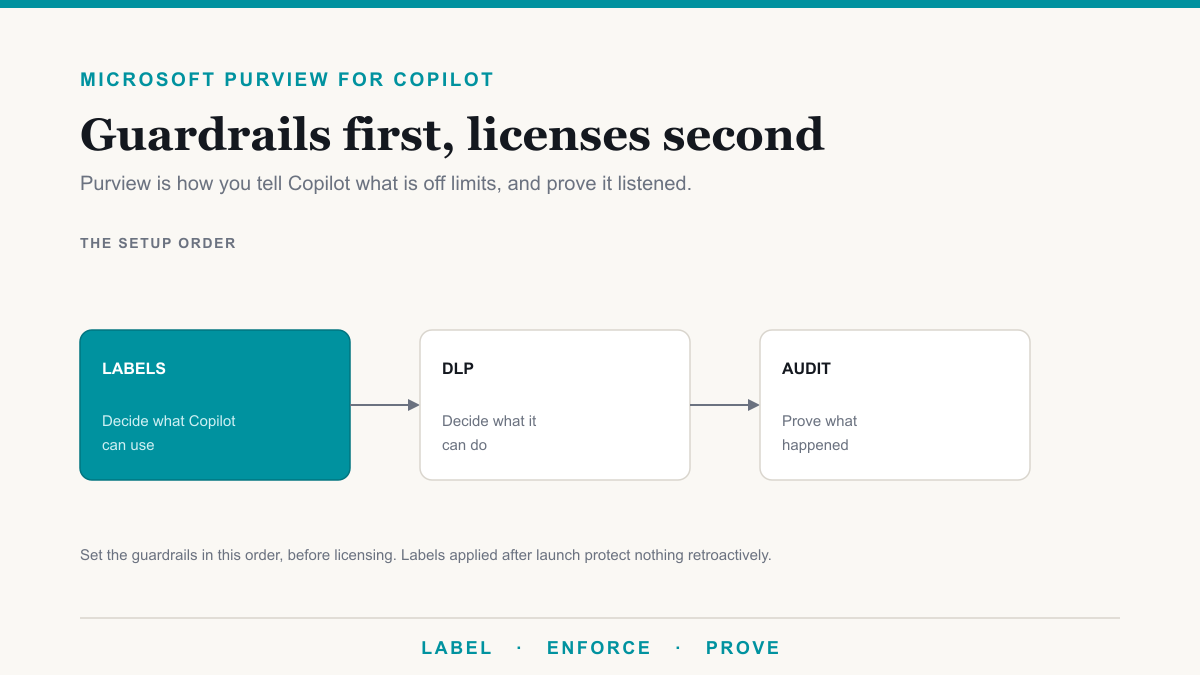
The audit log earns its keep twice: it is the record a compliance reviewer asks for, and it is what a penetration test or incident review reads to see what actually happened. It is also the first thing to switch on before rolling out Copilot, so you can see what the assistant is reaching.
Microsoft Purview Audit is the rare security control that costs nothing, takes minutes, and only fails you if it was never switched on. If your organization runs on a Business plan, treat the default-off behavior as the headline: verify the setting this week, confirm recording is on, and then decide calmly whether the standard 180 days meets your obligations or whether the premium tier is worth it. If you would like a second set of eyes on your Microsoft 365 setup, from auditing to the rest of your compliance posture, Desert Lakes Solutions offers a no-pressure discovery call to walk through where you stand and where the easy wins are. Book a discovery call whenever it suits.